







The AI-powered MES software for manufacturers.
Bulk is a manufacturing execution system for production, quality, inventory, scheduling and invoicing. The floor and the office work from one record, so nobody types anything in twice.
Connects to what you run




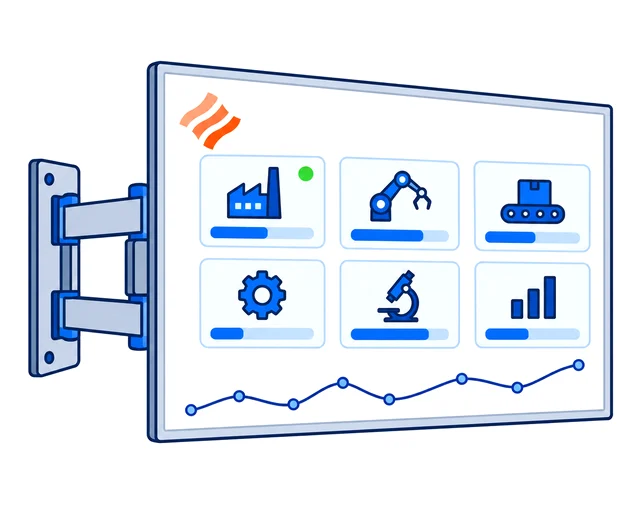
Bulk runs on every screen


Pick your industry.
See it at work.
Machining & fabrication
Short runs, many setups, and a travellers-and-whiteboards system only one person fully understands. If a job crosses benches and someone re-keys it at each one, this is your shape.



Regulated production
Sign-offs that matter, revisions that must not slip, and an auditor who will ask who changed what eight months later. Every touch is on the record the day the work is done.



Process & materials
Batches, readings and material usage that have to reconcile at the end of the shift. Operators log it where the work happens; nobody rebuilds it from memory.



Everything the plant chases,
on one record.

Know where every order stands.
See which jobs are running, which are waiting and which are running late, without walking the floor or chasing the whiteboard.
Status from the station.
Each job reads Open, In Progress, On hold or Completed with how many of its steps are done, and a change reaches every screen moments later, with no refresh.
Late is flagged, not guessed.
Every job carries its required date, so one that passes it shows as overdue on the order, and a finished job is marked Late or On time.
A plan for every machine.
The scheduling board puts each step on a machine at a start time, sizes the run from past work and marks runs that overlap.

Fewer mistakes, less rework.
Operators follow the same steps and checks on every job, and a problem is recorded where it happens, so it is fixed before it travels down the line.
The same route, every job.
The routing sets each job’s steps, forms and checks in order at the station, and a compulsory check holds the station until it passes or a supervisor signs an override.
A reject raises the issue.
Recording a reject on a Quality Check step creates a quality issue with the job, step, asset and quantity already filled in.
Suspect parts on hold.
A hold records how many parts are held, where and why, until they are released in full, released in part or scrapped.

Stock you can count on.
Know what each site holds and what every job used, with an alert when a material drops below its minimum.
Per variant, per site.
Each consumable variant shows what the site holds, what it is worth and whether it is OK, Low, Critical or Over against its Min and Max.
Drawn down by the job.
Log Material at the station deducts what a batch used, booked as Production Usage on each job it ran.
Alerts that send themselves.
Dropping below Min or to zero raises an alert in the app and by email, straight away or in one daily digest.
One system, from the order to the invoice.
Orders, jobs, stock and invoices sit on one record, so the office and the floor stop retyping the same numbers into separate spreadsheets.
The order is read, not typed.
A customer’s PDF purchase order is read into an inbound document, and once its lines are checked they become the order’s jobs.
Billed from the work.
Finished jobs go onto an invoice whose lines come from the services on the order, and issuing it marks those jobs invoiced.
Corrections stay on record.
An issued invoice is never edited. It is voided and replaced, or a credit note is raised against it.


Operators-first.
Not finance-first.
The screen your operators actually use.
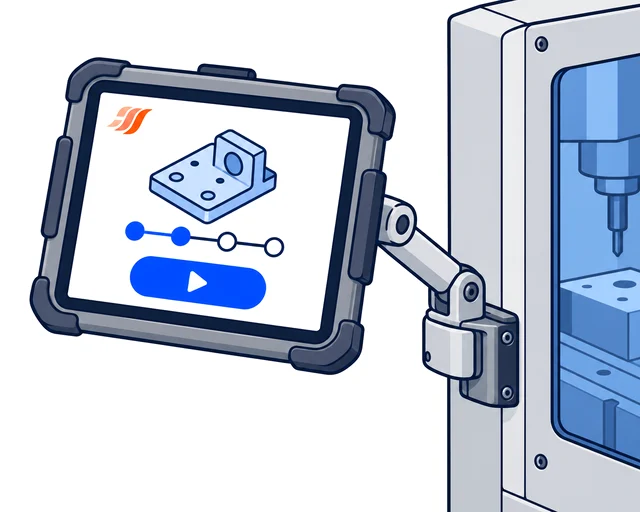
Every job lands on the station it is loaded to, with its steps, forms and specs in order. Operators start the timer, tap counters and complete steps, and each action is written to the job straight away. No spreadsheets. No “let me ask Dave.”
Counts that write themselves.
A tap posts good or scrap parts to the job. A scrap tap opens a linked quality issue with its root cause and disposition.
Scan instead of type.
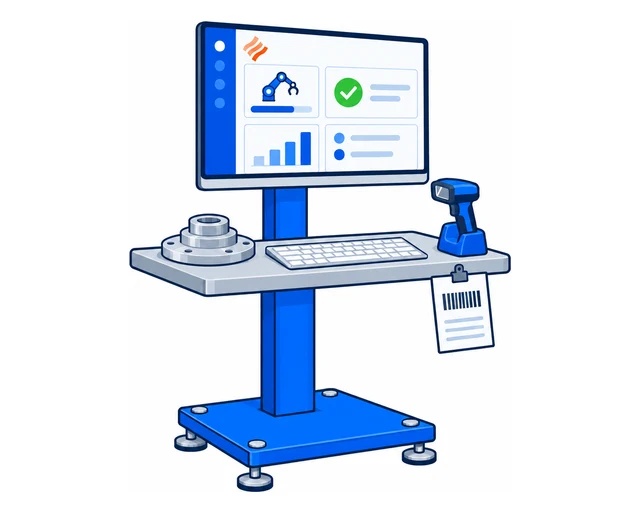
The tablet camera or a keyboard-style scanner reads the traveller’s barcode or QR code to load a job and confirm it complete.
Checks that hold the line.
A compulsory safety, quality or maintenance check blocks the station until it passes, or a supervisor signs an override.
Routings your engineers can ship before lunch.
Draw the routing on a canvas from your own resources: the steps, the decisions, the rework loops and the checks. Compile it, publish one live version, and the next job at the station follows it. No code and no IT ticket.
Compiled before it runs.
Every step must be reachable, every branch connected and every formula valid. A failed compile highlights the steps to fix.
Decisions as formulas.
A split holds up to eight branches, checked top to bottom. Type @ for the fields; the decision is saved on the job.
Versions that leave running work alone.
Each job keeps the version it was created with, and every change to a live job is written to its audit trail.

The shift, on the wall.
The wall is where shifts get briefed, production is run and problems surface before they cost you a customer. A Teamboard puts SQDCP on the TV the team meets around, each column coloured day by day from your own numbers.
Colour that comes from the record.
Each day is painted by rules tied to a KPI or an audit schedule, so red means a target was missed, not somebody’s opinion.
Actions that don’t get lost.
Add a task from the board with an owner and a due date. It is worked and closed in Tasks & Projects.
Always today.
A paired TV rolls over to the new day at midnight, and new numbers arrive without a reload.


Run by the floor.
Loved by the floor.
“We replaced four spreadsheets, two whiteboards, and one homegrown WMS with Bulk in three weeks. The shift leads stopped asking IT for reports. They just open Bulk.”
Compare solutions
A better way to run production
| Bulk | Spreadsheets | Legacy ERP | |
|---|---|---|---|
| Live status from the floor | Yes: Logged at the station, on every screen moments later | No: Typed up after the shift | No: Booked in the office, after the fact |
| Customer orders in | Yes: PDF and scanned POs read into orders | No: Retyped from the email | No: Keyed in by the office |
| Order to invoice | Yes: Order, jobs, stock and invoice on one record | No: A file per step, copied by hand | Yes: In the office; the floor reports in by hand |
| Quality on the job | Yes: Inspections, NCRs and dispositions on the job | No: Separate logs and binders | No: A separate module, away from the floor |
| OEE and downtime | Yes: From recorded machine time and stop reasons | No: Worked out by hand, if at all | No: Not recorded at the machine |
| Screens on the floor | Yes: Tablets, workstations and TV boards | No: Paper travellers and whiteboards | No: Built for desks in the office |
| Audit trail | Yes: Logged as it is saved; corrections keep the original | No: Overwritten without a trace | Yes: On office postings, not floor work |
| Getting started | Yes: Free trial, one app at a time | Yes: Nothing to install | No: An implementation project |
Put your hardest floor on it.
Start a free trial and run one real order through Bulk, from the customer’s purchase order to the invoice. No card needed, and your workspace opens in about a minute.
Start free trial


| Job # | Product | Customer | Qty | Due | Step | Progress | Status | |
|---|---|---|---|---|---|---|---|---|
| 1 | 2764 | Gearbox housing | Orrin Motion | 24 | Today | Machining | 62% | In Progress |
| 2 | 2765 | Frame weldment | Calder Works | 120 | Tomorrow | Weld bay | 0% | Open |
| 3 | 2766 | Control panel | Brightwell Pumps | 8 | Thu | Assembly | 48% | On hold |
| 4 | 2767 | Pump skid | Calder Works | 60 | Fri | Test | 35% | In Progress |
| 5 | 2768 | Enclosure | Orrin Motion | 300 | Mon | Paint | 80% | In Progress |
| 6 | 2769 | Drive unit | Brightwell Pumps | 12 | Shipped | Despatch | 100% | Completed |
| 7 | 2770 | Gearbox housing | Orrin Motion | 24 | Today | Machining | 62% | In Progress |
| 8 | 2771 | Frame weldment | Calder Works | 120 | Tomorrow | Weld bay | 0% | Open |
Frequently asked questions
What is Bulk MES used for?
Bulk is a manufacturing execution system for small and mid-sized discrete manufacturers and materials testing labs. Teams use it to take customer orders in, run jobs at the stations, record quality and stock as the work happens and invoice the order, all on one record. Bulk MES is one system from the customer order to the invoice, installed one app at a time.
What is a manufacturing execution system (MES)?
An MES controls and records the work on the shop floor as it happens: which job runs on which machine, who runs it, how long it takes, how many good parts come out and why the machine stopped. Planning and finance systems work in days and weeks; an MES works in minutes. See MES software.
Can Bulk replace our ERP?
It can. Bulk holds the order-to-invoice loop an ERP usually owns: orders, jobs, stock, invoices and credit notes on the same record the floor works from. Where a plant keeps an ERP, Bulk syncs both ways with it: Dynamics 365 Finance & Operations is live, SAP S/4HANA is in private beta by invitation and Oracle NetSuite is planned. See MES vs ERP vs MRP.
Can Bulk replace spreadsheets and paper travellers?
Yes. Operators log the work at the station, and the job’s status reaches the office screens and the floor’s TV boards moments later, so nobody types it up after the shift. You bring your customers, parts, routings and open jobs in from CSV or Excel. See MES vs spreadsheets.
Does Bulk handle quality and NCRs?
Yes. Quality issues, holds, NCRs, CAPAs and 8D reports are numbered records with owners and dispositions, linked to the job they came from, and a reject on a step raises a linked issue. See quality management.
What hardware do we need on the floor?
A tablet or PC with a web browser at each station, or one shared between machines. A handheld barcode scanner works in the scan fields, and any TV with a browser can show a live board. There is no server to buy or software to install at the plant.
Can we ask ChatGPT or Claude about our plant?
Yes. Bulk’s hosted MCP server lets ChatGPT, Codex or Claude Code read and update your Bulk records through tools, as the person who connected them and only where that person may look. It stays off until an admin turns it on. See AI & MCP.
How do we get started with Bulk?
Start a free trial with a work email and no card. Your workspace opens in about a minute in our EU region, and you add your sites inside the app. Then roll out one workflow end to end, alongside paper until the team trusts it, before adding the next app.