Discrete manufacturing software: how to choose a system
Compare ERP, MRP and MES for discrete manufacturing, then test bills of materials, revisions, scheduling and order-to-invoice records with one sample job.
Cover: AI-generated editorial illustration.
Discrete manufacturing software helps companies plan, make and track distinct products such as machined parts, electrical assemblies and industrial equipment. Depending on the system, it can cover materials, work orders, scheduling, production, quality and invoicing. The name describes the manufacturing it serves; it does not tell you which functions a particular package includes.
To choose a system, follow one representative order through it. Check how the software handles the part list, the drawing revision, a delayed operation, rejected units and the invoice. Those details reveal whether it fits your floor more clearly than a long feature checklist.
This guide is for a production manager or owner comparing systems for a job shop or assembly business. It uses a hypothetical order for 20 shaft assemblies to make the checks concrete. The quantities are examples, not customer results.
What makes discrete manufacturing different?
Discrete manufacturing produces identifiable items. Process manufacturing makes products through activities such as mixing or chemical transformation, using batch or continuous methods. A machined bracket is a discrete item; paint blended to a formula is a process product. SAP’s manufacturing overview explains this distinction and the different production records involved.
Discrete does not mean small batch. A repeat assembly line and a workshop building a single custom machine both make discrete products. Their software requirements differ because of how they accept demand and organise work:
- Make to stock: build standard products ahead of orders. Test replenishment and finished-stock availability.
- Make to order: start production for a customer order. Test promised dates, material allocation and job progress.
- Engineer to order: develop or adapt the design for the order. Test revisions, approvals and the effect of a change on work already released.
Write down which of these describes your operation, including any mixture. A supplier should demonstrate your actual combination, including subcontracted operations if you use them.
ERP, MRP and MES: which do you need?
Searches for discrete manufacturing software often lead to ERP products, but the terms describe different responsibilities. They can sit within one system or be connected across several.
- ERP, enterprise resource planning, connects business records across orders, operations and finance. Ask which commercial and financial functions are included in the proposal.
- MRP, material requirements planning, calculates material quantities and timing from demand, stock and product requirements. Ask it to identify the shortage for your sample order and explain the calculation.
- MES, manufacturing execution system, records and controls work as it happens on the floor. Ask an operator to record the operation, result and exception against the correct job.
SAP’s MRP explanation distinguishes material planning from the wider ERP system. Its MES guide describes the production execution role. Use these as functional distinctions, not a rule that you must buy three products.
If shortages repeatedly stop assembly, investigate material planning. If the planner cannot tell which operation a job has reached, investigate execution and work-in-progress tracking. If the office rebuilds production information to invoice customers, test the commercial connection. Several needs may belong in the same selection brief.
For the wider business case, see our guide to manufacturing ERP software. Here, the deciding question is whether the proposed system can represent your parts, operations and changes accurately.
What discrete manufacturing software should handle
Bills of materials and routings
A bill of materials, or BOM, lists the components and quantities needed for a product. A routing describes the sequence of operations used to make it. The BOM tells the planner what is needed; the routing tells the team what work must happen. These are different records even when the software displays them together.
For our simplified shaft assembly, suppose the BOM contains one base plate, two bearing blocks, one shaft and four bolts. An order for 20 assemblies therefore needs 20 plates, 40 bearing blocks, 20 shafts and 80 bolts, before any allowance for losses or spares.
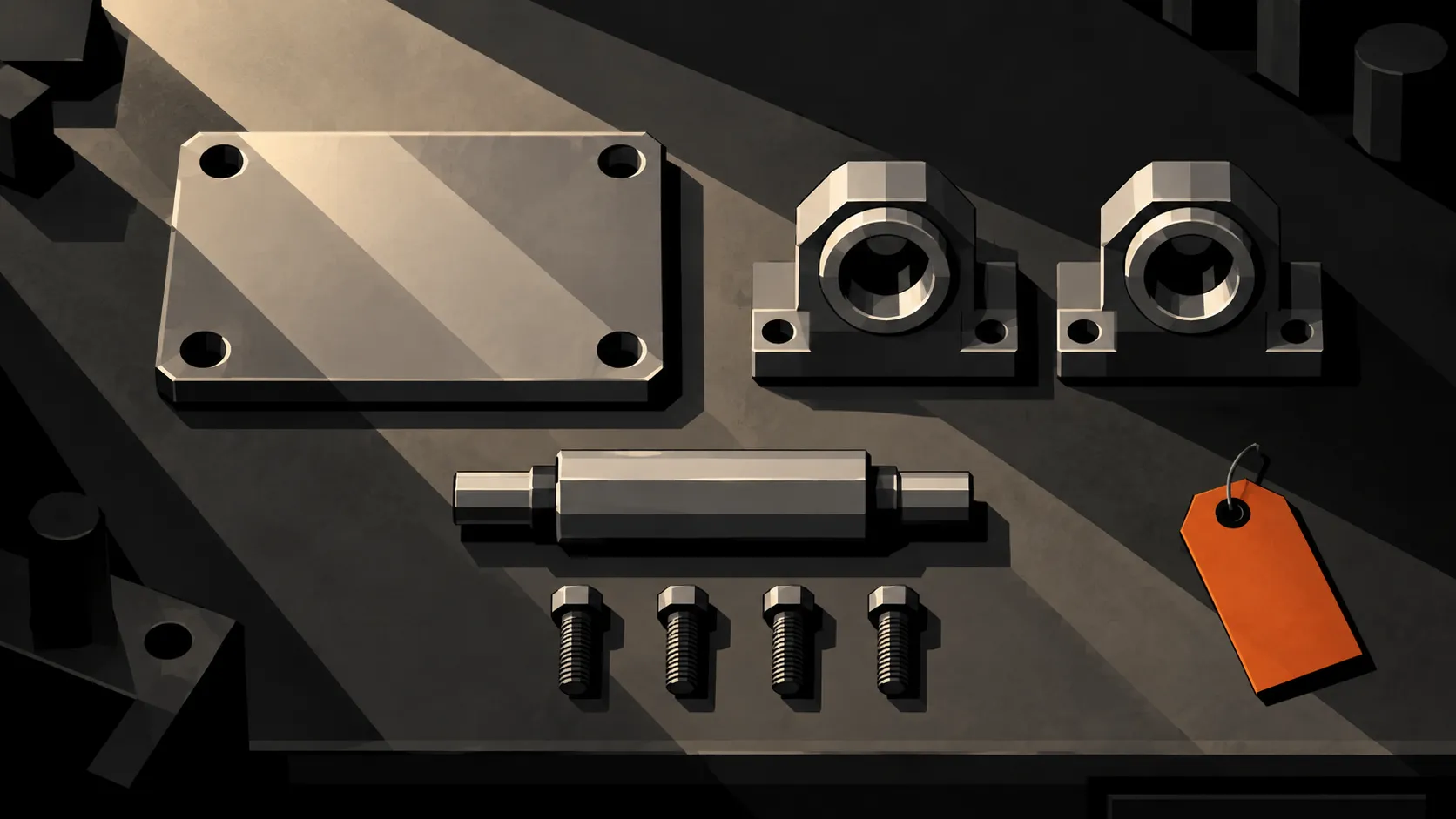
If 30 bearing blocks are available and unallocated, this order needs ten more. Ask the supplier to show that shortage, the expected supply date and the effect on the planned start. A stock balance alone does not demonstrate MRP.
The routing might be: machine the plate, fit the bearing blocks, install the shaft, inspect and pack. If you make subassemblies separately, test the link between their work orders and the final assembly. Do not accept a single-level demonstration for a product with several levels of components.
Drawing revisions and order changes
Suppose the customer changes the mounting-hole pattern after five plates have been machined. The software needs to help the team distinguish work made to the original revision from work released to the new one.
Ask to see the instruction each operator will receive, how the change is approved and what happens to the five existing plates. They might be usable, need rework or require replacement. That is an engineering decision the record should preserve, not an assumption a revised drawing should silently overwrite.
Also test the estimate. If the change adds machining time or material, can the team keep the original quotation and record the agreed amendment? Treat quoting, CAD import and revision control as separate capabilities to demonstrate.
Scheduling around real constraints
A calendar full of coloured bars does not establish that an order can finish on time. The relevant constraints might include a shared machine, a fixture, an inspector, missing material or an outside finishing supplier.
For our assembly order, move the plate-machining operation back by one shift. Ask the planner to show which later work is affected and what they can change. Establish whether the software recalculates dates, flags a conflict or leaves the decision to a person. Each can be useful, but they are different behaviours.
Include setup time in the demonstration. A shop making many short runs needs to see the cost of changing between jobs, not just the time a machine spends cutting. Our scheduling overview shows the planning side of Bulk.
Production, inspection and traceability
Ask operators to record progress against the actual operation. A completed machining step does not mean the assembly has passed inspection or been dispatched. Define those states separately.
In the example order, suppose 18 assemblies pass inspection and two need rework. The order still contains 20 assemblies. Completing the two repairs must not make it look as though 22 new units were produced. The record should explain the extra work and identify which units were affected.
Choose the traceability detail your work needs. Lot tracking groups material or output; serial tracking identifies individual units. Test a backward search from a finished unit to its component or material records, and a forward search from an affected lot to the jobs that used it. Ask which links are captured during work and which require another entry.
For a closer look at quantities and waiting work, use our production tracking guide. During software selection, the essential check is whether production and quality can explain the same job without rebuilding its history in a spreadsheet.
Job costs and invoicing
Keep production cost and selling price separate. Material, labour, setup and subcontract charges can affect the cost of making an order. The customer invoice follows the agreed commercial terms. Rework can add cost without creating an extra billable unit.
For the 20 assemblies, test a customer agreement that permits a first delivery of 18 and a later delivery of two. Show the remaining quantity, the relevant delivery records and the invoice lines. Then test a correction. Ask how the system prevents duplicate billing and retains the explanation behind a credit or cancellation.
Do not assume that a production counter determines what finance should bill. The software must make the link clear enough for someone to review it.
Examples of discrete manufacturing software
These systems illustrate different approaches to the requirements above. The summaries describe each supplier’s published scope. Use them to build a shortlist, then confirm the required features, modules and connections in a demonstration.
MRPeasy
MRPeasy targets small manufacturers with production planning, inventory, procurement and sales management. Its published features include material and capacity planning, lot and serial tracking, and shop-floor reporting. Consider it when you want to evaluate planning and stock control together. In the demo, use the bearing-block shortage from our example and ask how it changes the production plan.
Genius ERP
Genius ERP’s CAD2BOM tools connect engineering models with production BOMs. The vendor describes multilevel BOMs, design revisions and progressive release, where manufacturing can begin on released work while engineering continues on later stages. Consider it when engineered assemblies and design changes drive your requirements. Ask the supplier to demonstrate a revision using your CAD system and confirm which capabilities are included in the proposal.
Rootstock
Rootstock’s discrete manufacturing ERP brings BOMs, work orders, material planning and lot or serial traceability onto a Salesforce-based platform. Its published scope includes product variants and engineering revisions. Consider it when evaluating a manufacturing ERP around Salesforce. Test how a changed component reaches open work orders and what the operator sees after the change.
Siemens Opcenter Execution Discrete
Opcenter Execution Discrete is Siemens’ MES for discrete production, including job-shop work and complex assembly. It is relevant when your selection centres on controlling and documenting execution on the floor. Ask the supplier to show how production instructions reach the station, how inspection results are recorded and how those records connect to your business and engineering systems.
Where Bulk fits
Bulk is one operating system for the plant, installed one app at a time. It connects the floor with the order-to-invoice loop around it. The discrete manufacturing overview shows how its production, quality, scheduling and stock capabilities fit together.
One concrete connection is invoicing from production orders. In Bulk, a user can start an invoice draft from an order and select eligible jobs from that order. The draft retains links to those jobs. This lets the commercial record refer back to the work it covers; it does not mean every recorded quantity automatically becomes a charge.
Evaluate that connection alongside your other requirements. Full material planning, complex assembly structures, estimating, general-ledger accounting and any specialist integration need their own demonstration and agreed scope. An order-to-invoice workflow alone does not establish all of those capabilities. You can start a free Bulk trial to confirm the workflow on your own plant’s work.
Run a useful software trial
Give each shortlisted supplier the same sample order, part list, drawing and routing. Include the revision change, shortage, rework and partial delivery described above, adapted to your own work. Use synthetic records if the sample will leave your company.
Compare the full proposal: licences, setup, data migration, devices, integrations, training, support and ongoing changes. Ask who owns each dependency and how you will retrieve your records if you later move systems. A low licence price is not enough information to compare implementation effort.
Start the trial with one representative workflow from accepted order through production and invoicing. Give an operator, planner, quality lead and finance user the tasks they would normally perform. Check the physical parts against the records at each handoff. If network interruptions matter on your floor, test the exact device and action during a disconnection rather than relying on a broad offline claim.
Before expanding, agree a small set of pass conditions: the correct revision reaches the station, quantities reconcile, exceptions remain traceable and the invoice refers to the intended work. Measure how much manual entry and checking remain. That gives the team evidence for a buying decision and a clear list of what still needs to change.