The crew, on one record.
Who works here, who reports to whom, who is in today and who is off next Friday. One record per site. Edit it once and scheduling, training and production all follow.
One page for every person on the floor.
An employee database the rest of the plant reads from. Each record holds a person’s site, department, job title, manager and default shift, and the same page shows what Bulk has recorded about them: their hours on the time clock, their leave for the year, their week of output and their training.
The facts that decide the day
Status (Active, On Leave, Pending or Terminated), site, department, job title, manager, default shift, employment type and start date, with System Access showing whether the person has a Bulk login.
The work, beside the person
Once the record is linked to a Bulk login, the Production tab shows that person’s week from production tracking: good output, rejects, time on the timer and quality issues, day by day.
Leave and training at a glance
Entitled, used, remaining and pending days for the year by leave type, and a Training Summary of assigned, completed and expired training with a compliance badge.
Add one, or a whole shift
The Add Employee wizard issues the next EMP code, unique across the company. Bulk add turns existing Bulk logins into records, and bulk edit moves up to 100 people to a new shift, manager, department or site.
Shift patterns that keep their own rotation.
Shift patterns are set once per site: a rotation of one to six weeks, each day on or off with its own start, end and break, lined up against a pattern start date. Bulk works out which week applies on any date, including night shifts that finish the next morning.
Rotations up to six weeks
Pick a rotation length of 1 to 6 weeks and set each week on its own tab. The shift reads back as a summary such as 3 weeks: 15 on, 6 off.
Every day its own hours
Each day is on or off with a start, an end and break minutes, and one row applies the same times to the whole week. New days start at 06:00 to 14:00 with a 30 minute break.
One default shift per person
The shift on a person’s record decides how many shift days their leave uses, which shift the time clock expects them on and whether a Teamboard counts them in today.
Clock in with a PIN, on any tablet.
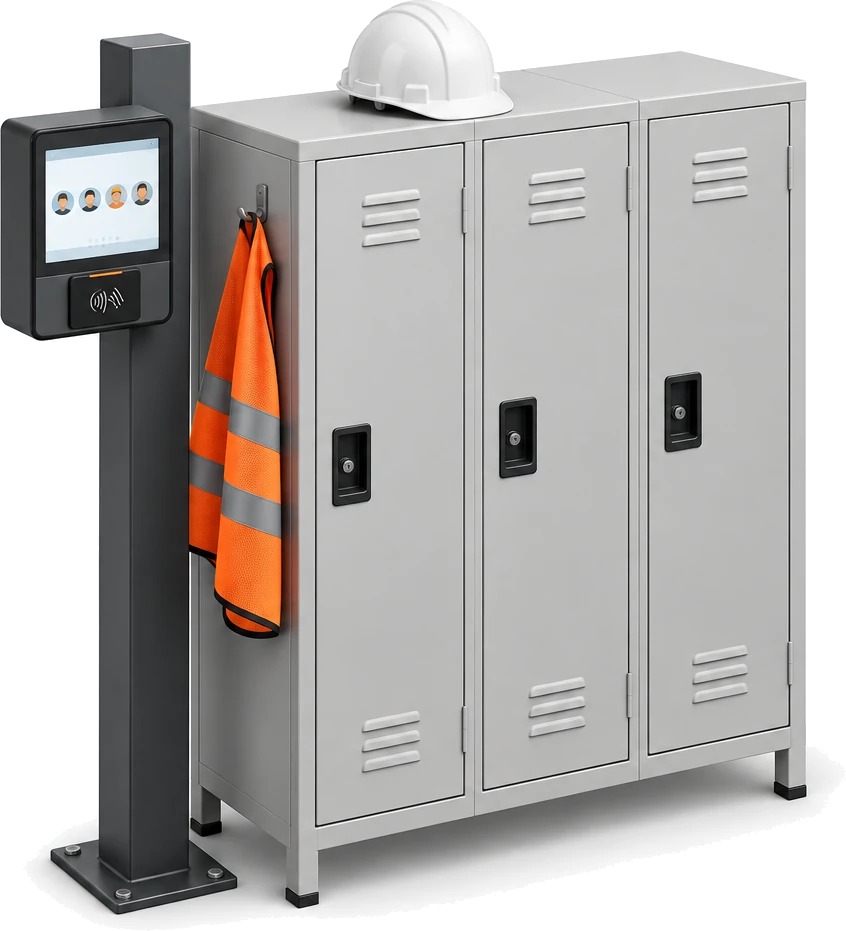
An employee time clock without special hardware. Pair any tablet with a browser to the site, and people clock in, take breaks and clock out with their own PIN. Each punch is checked against their shift and lands on the attendance record as it happens.
Pair it, then leave it
A new tablet shows a six-character code and a QR code. Enter it under Settings, People, Time clock, name the tablet and it switches to the PIN pad by itself. It never shows the rest of Bulk.
Rules set per site
PINs of 4 to 6 digits, a keypad that locks after 5 wrong tries, paid or unpaid breaks, an optional limit on early clock-ins, rounding to 5, 6, 10 or 15 minutes, and an automatic clock-out after 14 hours unless you change it.
A wrong tap is undone on the spot
The confirmation names the shift and whether the person is early or late, with an Undo button while it is on screen. Punches are never edited or deleted: a correction is a new punch, so the original stays on the record.
Who is in, and who is not yet.
Attendance tracking a supervisor can read from across the floor. The Today board counts who is on the clock, not in yet, on break and done, and sets every punch against the rostered shift, so a late start or a break that overran stands out before anyone asks.
Every count is a filter
Tap On the clock, Not in yet, On break or Done to cut the board to those people. When a day is left without a clock out, a To close count appears and opens it in the timesheets.
Late means late against the roster
Five minutes after a shift starts, anyone without a punch shows as Not in yet. Arrivals carry the minutes they were late, and people on approved leave read On leave, not missing.
Fix it from the row
A supervisor can clock someone in or out, end a break, log an absence or void a double tap from the board. The People home shows the same floor at a glance.
Timesheets that build themselves.
Every entry comes from the punches, with unpaid breaks taken off and the site’s rounding applied when the entry closes. Entries that need a look are flagged, a manager approves them one at a time or in batches, and the range exports as a CSV.
Flagged before sign-off
Missing clock out, Auto clocked out, late starts, Break over limit at 90 minutes, Break longer than work, Past shift end and Edited. Needs review shows only the entries that want a look.
Every change has a reason
Editing times or adding an entry by hand needs a note, and voiding needs a reason. The punches behind each entry stay in its history, marked Replaced or Undone.
Approve, then export
Approve entries one by one or up to 100 at once; an entry still open has to be closed first. Export any range of up to 62 days as a CSV with times, breaks, worked minutes, flags and approval.
Leave counted in shift days.
Absence management that knows each person’s shift. Log leave for a date range and Bulk counts only the days that person was due to work, refuses overlapping leave, and sends types that need a sign-off to the Requests queue while the rest are approved straight away.
Rest days cost nothing
The count comes from the person’s default shift: rest days in their pattern are skipped and a rostered Saturday counts. A range with no shift days cannot be logged.
Approval where it matters
Each absence type is paid or unpaid and either needs approval or is approved automatically. Requests move from Pending to Approved or Rejected, and can be cancelled.
Start from presets
Import Presets adds common absence types for your region: a generic set, a manufacturing set and 20 countries including the UK, Germany, the US, the UAE and Japan. Existing codes are skipped.
The month on one screen
The Absence Calendar shows approved and pending leave as pills, pending ones striped, with a count of people off each day. Click a day to log leave from it.
The live org chart, or a what-if.
An org chart that draws itself from each person’s manager, so there is no second diagram to keep up. To plan a change, draft a variation: move people to new managers or take them off the chart, and the real records stay exactly as they are.
Drawn from the records
Each card shows the person’s job title, department, site, tenure and number of direct reports, with a green dot that turns amber when the person is on leave. Teams collapse to keep a large site readable.
Variations are a sandbox
Drag a card onto a new manager or pick one from Reports to. A variation saves only what differs from the live chart, and Bulk refuses a move that would put someone under their own report.
Make it real on the record
When the plan is agreed, change each person’s manager on their record and the live chart follows. Nothing in a variation writes back by itself.
From first day to last working day.
The record follows a person through their time at the plant. Add people one at a time or from existing Bulk logins, and schedule a leaver’s last working day in advance: at the cutoff Bulk marks them Terminated, hands their direct reports to the manager you chose and suspends their login.
Joiners in three steps
Source, Employee Data and Assignments: start from a Bulk login or type the details, then set site, department, job title, manager, shift, employment type and start date.
Leavers on a date
Set the last working date, a reason and an optional private note that only people who manage employee records can read. Until the cutoff it can be changed or cancelled.
Rehire keeps the history
Past terminations stay on the record. Rehire with a new start date and, where there is a linked login, switch system access back on.
What time and attendance software should answer.
Time and attendance software records when each person was due, when they actually worked and when they were away, and gets the hours signed off. In Bulk every answer comes from one record: the shift pattern, the punches from the tablet and the approved leave.
| The question | How Bulk records it | Where you read it |
|---|---|---|
| Who is in right now? | Every clock in, break and clock out on a paired tablet is a punch, and the board sorts people into On the clock, On break, Not in yet, Due later, Done and On leave. | Attendance, Today |
| Who arrived late, and by how much? | Each clock-in is compared with the rostered shift. After 5 minutes a missing person shows as Not in yet, and arrivals carry the minutes late. | Today board, Arrived late |
| How many hours did each person work? | Punches become time entries: worked time after unpaid breaks, rounded by the site rule when the entry closes, with the exact punches kept. | Attendance, Timesheets |
| Which hours need a look? | Entries are flagged for a missing or automatic clock out, lateness, long breaks and manual edits. | Timesheets, Needs review |
| Who signed the hours off? | Managers approve entries one by one or in batches of up to 100. Editing times or adding an entry by hand needs a note, and voiding needs a reason. | Timesheets, the Approve column and the CSV export |
| Who is off, and is it approved? | Each absence is Pending, Approved, Rejected or Cancelled, and its type decides whether it needs approval. | Absences, Requests, and the Absence Calendar |
| How many days does the leave use? | Whole shift days from the person’s default shift. Rest days in the pattern do not count. | Log Absence, and the Absences tab on the record |
| Who reports to whom? | Each person’s manager draws the live chart, and reorganisations are drafted as variations. | Org Structure |
One record, read across Bulk.
People holds who works here, their shift and their department. Training, Teamboards, Safety, Audits and analytics read the same records, and production writes each person’s work back onto their page.
- TrainingThe training matrix lists people by department and job title, and each record carries a Training Summary.
- TeamboardsThe Attendance widget shows who is in and out by department, from each person’s shift and approved leave.
- ProductionLink a person to their login and their week of output, time and rejects shows on their record.
- OEE & AnalyticsEvent counts by person show each operator’s name and shift from People.
- SafetyIncidents are recorded against a department from People.
- AuditsAudit areas are tied to the departments set up in People.
- Hub & HomeEach record links to a Bulk login, and a leaver’s access is suspended at the cutoff.
Questions, answered.
What is time and attendance software?
Time and attendance software records when each person is due to work, when they actually clock in and out, and when they are away, then gets the hours approved. Bulk does this on the same workforce record as your employees, shift patterns and absences, with a shared tablet time clock at the door.
How do employees clock in and out?
On a tablet paired to the site as a time clock. Each person types their own PIN of 4 to 6 digits, sees today’s shift and taps Clock in, Start break, End break or Clock out. Any tablet with a browser can be paired, and it never shows the rest of Bulk.
What happens if the tablet loses its connection?
It says so on screen and records nothing until it is back online, so nobody walks away thinking they clocked in. A manager can add the missing entry from the office, with a note explaining it.
How does Bulk decide someone is late?
Each clock-in is compared with the rostered shift from the person’s default shift pattern. Five minutes after the start, anyone without a punch shows as Not in yet, and arrivals carry the minutes they were late. People on approved leave show as On leave.
What if someone forgets to clock out?
Bulk closes the entry automatically after 14 hours by default (set it between 1 and 24 hours, or turn it off) and flags it Auto clocked out, so a manager checks it before approving. Supervisors can also clock someone out from the Today board.
How are breaks and rounding handled?
Breaks can be switched on for the tablet and counted as paid or unpaid. Rounding to 5, 6, 10 or 15 minutes, up, down or to the nearest, is applied when an entry closes, and the exact punches stay in the log.
Can I export timesheets for payroll?
Yes. Approve the entries, then export any range of up to 62 days as a CSV with clock in and out times, breaks, worked minutes, flags and approval status. Bulk does not calculate pay itself.
How are absences counted?
In shift days. Bulk reads the person’s default shift and counts only the days they were due to work, so rest days in their pattern cost nothing. Types that need approval wait in the Requests queue, and overlapping leave is refused.
Is the time clock the same as the production timer?
No. The time clock records attendance: when a person arrived, took breaks and left. The production timer records time against jobs at a workstation. Both appear on the person’s record, on the Attendance and Production tabs.
Can I plan a reorganisation without changing the live org chart?
Yes. Draft a variation of the chart and move people freely; it stores only what differs and never changes an employee record. When the plan is agreed, update each person’s manager and the live chart follows.
Is the workforce record shared across sites?
Each person has one home site, and the directory, shifts, absences, time clock and news are kept per site, so each plant runs its own team. Employee codes are unique across the company, and people can be moved between sites.
Stop running the team from five spreadsheets.
Start a free trial, load your team, your shift patterns and a month of leave, and pair a tablet at your door. One record does the work of five spreadsheets. No card needed.