Manufacturing inventory software that tells you what’s wrong.
Live stock for every consumable variant: what is on the shelf, what it is worth, what is about to run out. Production deducts as it runs and alerts fire on their own.
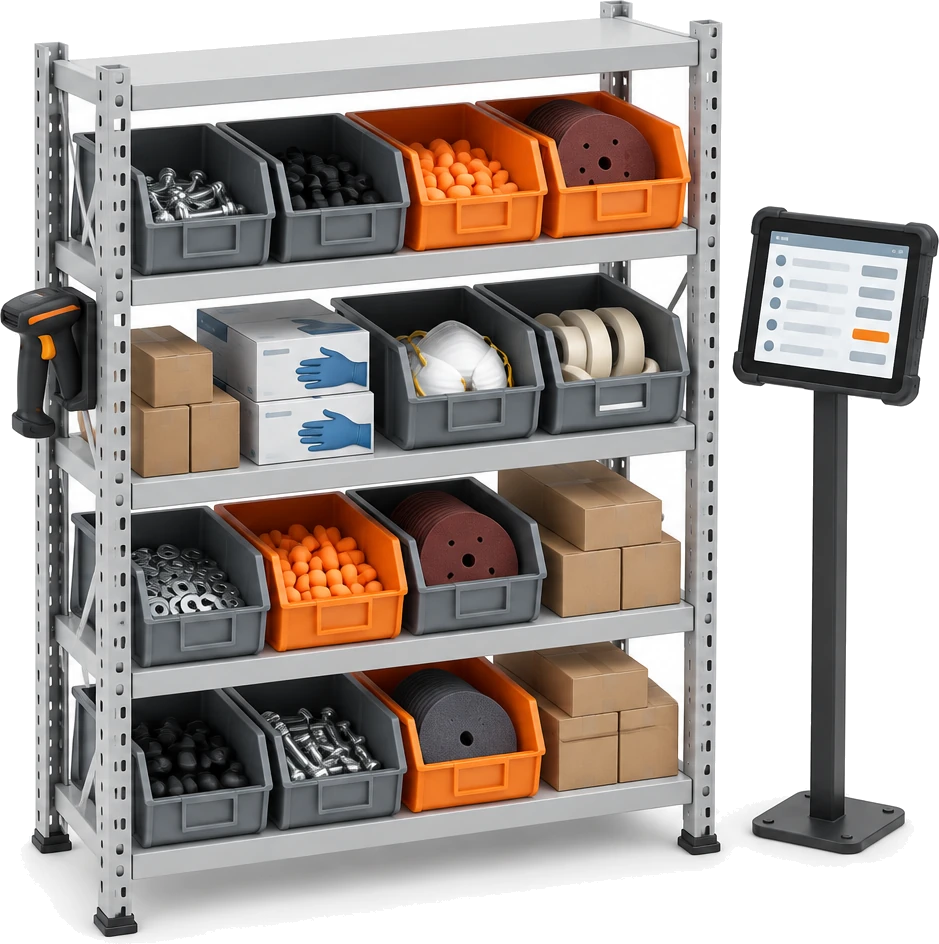
From the delivery to the job, one running count.
Bulk is manufacturing inventory software for the materials a plant uses up: cutting discs, weld wire, gas, nozzles, masking plugs. Stores book deliveries in, operators log what the job used, and each tracked variant’s count, status and value move with every entry.
Switch tracking on
Tracking is set per variant, with a reorder point, a ceiling and an opening count.
Log it at the station
Material logged against the loaded jobs comes off the count in the same step.
Hear about it
Dropping below Min turns the line Low and tells the people responsible, in the app and by email.
Book the delivery in
Receiving against a reference brings it back to OK, and recipients see in the app that it has recovered.
Every tracked variant, worst first.
Real-time inventory tracking for each site. The Stock page lists every tracked variant with what is on hand, its minimum and maximum, a status and its value, and sorts the lines that need attention to the top.
Sorted by urgency
Critical lines come first, then Low, Over and OK, alphabetically within each, so the morning check starts at the top.
Valued as it moves
Value is the quantity on hand at the variant’s unit cost, in its own currency, and each movement keeps the cost it was booked at.
Find it, then act on it
Search by name or code, filter by status or consumable and save the view. Right-click a line to receive or adjust it, or click it to open its history.
Five states, one rule on every movement.
Each variant has a reorder point, its Min Stock, and a ceiling, its Max Stock. Every movement checks the new count against them in a fixed order, so the colour on screen is a rule rather than a judgement.
Checked in order
Tracking off is Untracked, above Max is Over, zero or below is Critical, below Min is Low, and anything else is OK.
Blank means no limit
With no Min a variant is never Low, and with no Max it is never Over. A count exactly on Min or Max is OK.
New thresholds apply at once
Saving a new Min or Max re-checks the current count straight away, so raising a reorder point can flag a line before the next movement.
Untracked stays out
A variant with tracking off keeps its last count but leaves the Stock page, raises no alerts and is no longer drawn down by logged material.
Book it in, count it, put it right.
The stock control stores do every day, each recorded as a movement: a delivery against its reference, a full delivery in one go, and a physical count that sets the new level with a reason.
Receive against a reference
Enter the quantity, a PO or delivery note number and a note. Opened from a line, the dialog shows the count now and after the receipt.
A whole delivery at once
Bulk Receive takes a row per variant with its quantity and reference, and books each row as its own Receiving movement in one action.
Adjust to what is really there
Type the counted level and Bulk works out the difference. A reason is required: physical count correction, damaged or expired, returned to supplier, or other.
Logged at the station, taken off the shelf.
Consumables inventory management that happens in the work. Operators log the material a batch used at the workstation, and each tracked variant is drawn down against the jobs that used it in the same step, whether from Log Material or a workflow step that asks for the consumable.
Shared across the loaded jobs
The quantity is split evenly across every job loaded at the station, and each job keeps its share with the unit cost at that moment.
Traced to the work
Each share is a Production Usage movement linked to its job, so every draw-down leads back to the job that used it.
Corrections put it back
Editing or deleting a logged batch at the station posts the difference, and a deletion returns the stock as a Production Reversal.
The station never waits
Logging is never blocked by the count. If more is used than the ledger holds, the line shows Critical until stock is received or counted.
Every change is a line, with the balance either side.
Each variant keeps a stock movement history that is only ever added to: what moved, which way, the balance before and after, who recorded it and when. A mistake is corrected with another line, never an edit.
Seven kinds of movement
Receiving, Production Usage, Production Reversal, Adjustment +, Adjustment -, Initial Stock and Reconciliation.
Nothing is overwritten
There is no edit or delete for a movement. The original stays and the correction sits beside it with its own reason.
Reference, reason, note
Receipts carry their reference and adjustments their reason, and any line can carry a note. Filter the history to what came in, went out or was reversed.
Checked in the background
A background check compares each balance with its own movement history and records any difference as a Reconciliation line, so the count always adds up.
Low, critical or over, told to the right people.
Low stock alerts fire when a movement changes a variant’s status, not on every movement. Each goes in-app to the people responsible, and by email straight away or in one daily digest.
At most once a day
Each alert type is raised once per variant per day, however often the count crosses the line. Low and then Critical on the same day are two alerts.
Immediate or digest
Set it for the site and override it per variant. Digest emails go out daily at the time you choose, 08:00 by default, in the site’s own timezone; in-app notices arrive straight away.
The right people, only them
Recipients set on the variant come first, then the site’s list, then everyone with stock access at the site. Anyone without stock permission is skipped.
Recovery is announced
When a movement brings the line back to OK, its open alerts close and recipients get a Stock recovered notice in the app.
Switch tracking on where it matters.
Stock management starts with the catalogue: each consumable, its variants, part numbers and unit costs. Tracking is a switch per variant, so you can count the lines that stop the floor first.
Consumables and variants
A consumable such as Laser Nozzles holds its variants, each with its own code, part number, unit cost and currency.
Mass Add from a spreadsheet
Paste up to 50 consumables or variants at a time, checked for missing fields and duplicates before they save.
Tracking in bulk
Enable Tracking lists every untracked variant, so several can be switched on with an opening count, Min and Max in one pass.
Ready for the station cart
Log start and Log increment set the first quantity and the step operators see when they log a material.
What manufacturing inventory software should answer.
Manufacturing inventory software keeps a live count of the materials a plant holds and uses, and explains every change to it. In Bulk each answer comes from the movements recorded at the stores and at the station.
| The question | How Bulk records it | Where you read it |
|---|---|---|
| How much is on the shelf? | One balance per tracked variant per site, updated by every movement, in the variant’s stock unit. | Stock page, Current column and the detail panel |
| Is it running low? | Status from Min and Max: Critical at zero or below, Low under Min, Over above Max. | Status badge and Level bar; Stock Alerts on Inventory Home |
| What is it worth? | Inventory valuation at the quantity on hand times the variant’s unit cost, in its currency; a new cost applies to future movements. | Stock page, Value column |
| Where did it go? | Material logged at the station becomes Production Usage lines linked to each job. | Movement history, Out; the job in Production |
| Did the delivery get booked in? | A Receiving line with its reference number and who booked it. | Movement history, In |
| Why does the count differ from the shelf? | A physical count is an Adjustment with a reason. Stock reconciliation in the background records a Reconciliation line if the balance drifts from its history. | Movement history, and the audit trail |
| Who hears when it runs out? | The variant’s recipients, else the site’s, else everyone at the site with stock access. | Notifications, and email straight away or in the daily digest |
Stock that moves with the work.
Inventory reads what the floor logs and hands its counts to the screens people already open. Every receipt, count, deduction and alert is also written to the audit trail.
Questions, answered.
What is manufacturing inventory software, and what does Bulk track?
Manufacturing inventory software keeps count of the materials a plant holds and uses. Bulk tracks consumables, the materials used up in production such as cutting discs, weld wire, gas or masking plugs, by variant and by site: what is on hand, its status against a minimum and maximum, its value and every movement that changed it.
Does it track finished goods, lots or bin locations?
No. Inventory in Bulk counts consumables and their variants, with one balance per variant per site. It does not hold finished-goods stock, lot or serial numbers, expiry dates or locations within a site.
How does production update stock?
Operators log the material a batch used with Log Material at the workstation, or in a workflow step that asks for the consumable. The quantity is split evenly across the loaded jobs, and each tracked variant is drawn down with a Production Usage movement per job. Editing or deleting the logged batch reverses the difference.
When do low stock alerts fire?
When a movement takes a variant below its Min (Low), to zero or below (Critical) or above its Max (Over). Each alert type is raised at most once per variant per day, in-app and by email, and a Stock recovered notice follows in the app when the line is back to OK.
Can alerts come as one daily email instead?
Yes. Each site chooses Immediate or Digest, and a variant can override it. Digest emails go out daily at the time you set, 08:00 by default, in the site’s timezone. In-app notifications still arrive as each alert happens.
Who receives the alerts?
The recipients set on the variant, otherwise the site’s default recipients, otherwise everyone at the site with access to stock. People without stock permission are skipped, and anyone who has switched off email only gets the in-app notice.
How do I record a stock count or a write-off?
Open Adjust Stock on the line, enter the level you counted and choose a reason: physical count correction, damaged or expired, returned to supplier, or other. Bulk records the difference as an Adjustment + or Adjustment - movement.
Can a stock movement be edited or deleted?
No. The history is only ever added to. A wrong receipt or count is corrected with another movement, and wrongly logged material is reversed from the station, so the original and the correction both stay visible. Each receipt, adjustment, production deduction or reversal, reconciliation and alert is also written to the audit trail as an event.
How is stock valued, and is it reconciled?
Each line is valued at its quantity on hand times the variant’s unit cost, in the variant’s currency, and a new cost or currency applies to future movements. A background check reconciles each balance with its own movement history; counting the shelf is still done with Adjust Stock.
Can each site keep its own stock?
Yes. Consumables, counts, thresholds, alert recipients and the digest time all belong to one site, and the Stock page shows the site you have selected. Atlas, still in beta, can set stock on hand value for each site side by side.
Can an AI agent read or change stock?
Yes, through Bulk’s MCP server. An agent acting for someone with stock permission can list levels, movements and alerts, and receive or adjust stock. It runs the same actions as the app, so each change lands in the movement history and the audit trail.
Can Bulk replace my ERP?
It can. Orders, jobs, consumable stock, invoices and credit notes live on one record, installed one app at a time. Bulk does not handle supplier purchasing or finished-goods stock. Where you keep an ERP or accounts package, approved orders flow in as jobs and the live record flows back out.
Which forms can I use to prepare my stock records?
Use the bill of materials to list the components for a product, the stocktake and cycle-count sheet to record a physical count, and the delivery note and packing slip to list a shipment. These are standalone records. The stock movements guide explains how inventory transactions are recorded in Bulk.
Load your stores list.
Start a free trial, load your consumables, switch tracking on for the lines that stop the floor and log material against a real job, alerts included. No card needed.