Bulk MES vs Azumuta: perfect the step, or run the order?
Azumuta perfects the step: rich digital work instructions in any language, with the checks, skills and audits built around them. Bulk MES runs the whole order around the step, from the customer's purchase order through jobs, quality and stock to the invoice, on one record.
One order, two scopes.
Follow one customer order from the purchase order to the invoice. Azumuta goes deeper into the step itself than Bulk does. Bulk runs every stop around it, on the same record.
Customer PO
Azumuta: Arrives through your ERP
Bulk MES: Intake reads the PDF or scanned PO
Production order
Azumuta: Kept in sync from your ERP
Bulk MES: Approved, it becomes the order
Jobs & routing
Azumuta: Each order matched to its instruction
Bulk MES: Jobs created with their routing
Station work
Azumuta: Authored steps with 3D, video and branching
Bulk MES: Timer, counts, steps and instruction PDFs
Quality
Azumuta: Checks in the instruction, ticketing, audits
Bulk MES: Issues, holds, NCRs, CAPA and 8D
Stock
Azumuta: No inventory module on its pages
Bulk MES: Consumables used per job, with cost
Invoice
Azumuta: Left to your ERP
Bulk MES: Invoices and credit notes on the order
Around every step, the whole order.
What Bulk MES runs around the instruction, installed one app at a time. Each part is in Bulk today, and your own team configures it to the floor.
 Routing & documents
Versioned routings, instructions attached
Routings carry versions and an optional approval. The instruction PDFs your team writes attach to each process revision and open at the station for the jobs loaded there.
 Training
Who's competent at what
A skills matrix with five competency levels. A training program's validity sets each expiry, and the matrix shows who is expiring within 30 days.
 Audits
Audits on a schedule
5S, layered process and safety audits from versioned templates, with photos, signatures and scores, run on a daily, weekly or monthly schedule.
 Quality
Contain, correct, prevent
A reject on a step raises a quality issue linked to the job. Hold the parts, then work it through an NCR, a CAPA whose actions become tasks, or an 8D.
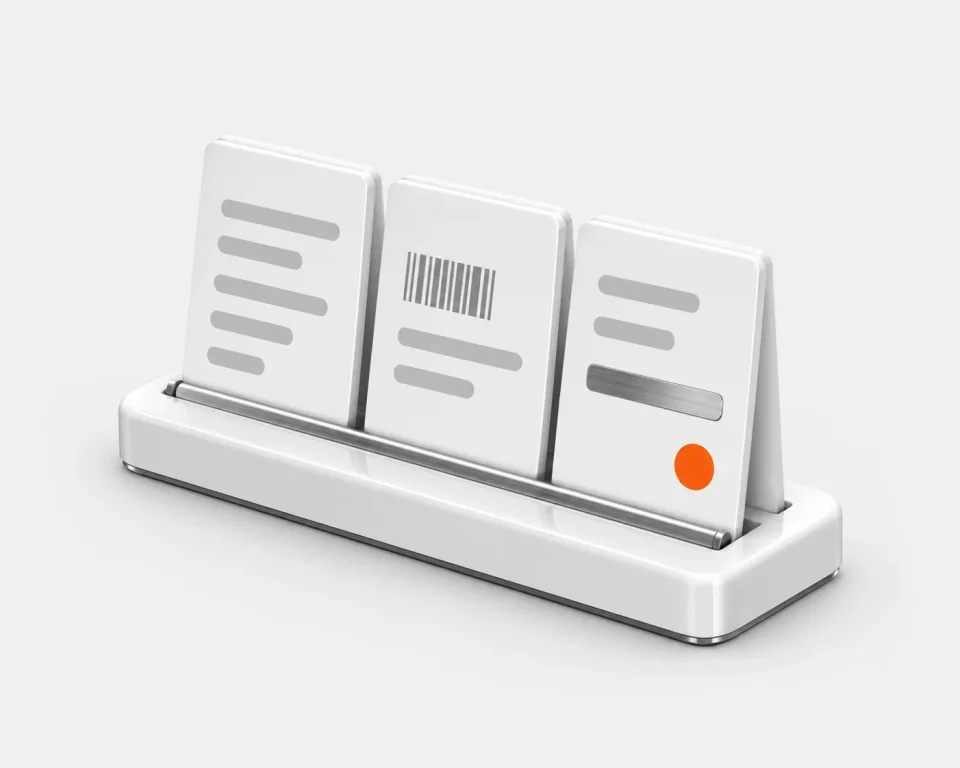 Order to invoice
From the PO to the invoice
A customer's purchase order becomes the production order and its jobs, and jobs that reach the invoicing step go onto an invoice on the same order.
Where you keep an accounts package or an ERP, Bulk syncs both ways with it. Dynamics 365 is live today.See the integrations
Different centres. Both honest picks.
Azumuta is centred on the instruction. Bulk is centred on the order. If your errors start in the step, start with Azumuta; if they start between systems, start with Bulk.
Pick Azumuta when
Azumuta shines when the instruction itself is the job.
- You need rich instructions with images, video, 3D models and branching
- Your workforce works in several languages
- Instructions should adapt to each operator’s skill level
- Operators need mobile apps that work offline
- You want a Benelux- or DACH-first vendor with Dutch-language support
Pick Bulk MES when
You want one system from the customer order to the invoice, set up by your own team.
- Customer purchase orders should become jobs without retyping
- Quality needs numbered NCRs, CAPAs and 8D reports with owners
- Stock used and its cost belong on each job
- Invoices and credit notes belong on the same record as the work
- Skills, audits and quality should live in the same system as the jobs
- You want to start with one workflow end to end, then add apps
The instruction platform vs the order system.
Dimension by dimension. Azumuta's side comes from its own published pages, and the rows Azumuta wins say so as plainly as the rows Bulk does.
| Dimension | AzumutaOperator-first shop-floor platform | BulkOrder to invoice |
|---|---|---|
| What you are buying | ||
| Product shape | Four modules (work instructions, quality assurance, skills matrix and training, audits), anchored to the authored instruction. | One system from the customer order to the invoice: intake, jobs and routings, the operator terminal, quality, stock and invoicing, installed one app at a time.One data thread |
| Built for | Small to enterprise across fourteen industries, built for Belgian, Dutch, German and French factories first. | Small and mid-sized discrete manufacturers and materials testing labs moving off paper and spreadsheets. |
| Where Azumuta is ahead | ||
| Instruction authoringAzumuta leads | Its flagship: a no-code editor with images, video, 3D models, IF/THEN logic, revision approvals and AI assist. | Instruction PDFs your team writes attach to each process revision and open at the station. Bulk doesn't author instructions. |
| LanguagesAzumuta leads | Instructions translated and managed in ten-plus languages from one place, with support in Dutch and English. | The Bulk app is in English. |
| Skill-adaptive deliveryAzumuta leads | Instructions branch on the operator's input and adjust to their recorded skill level. | A skills matrix with five competency levels and expiry dates. It does not change what the station shows.Skills matrix |
| Working offlineAzumuta leads | Its iOS and Android apps run offline and sync when connectivity returns. | No offline mode. If the link drops, the screen says it is disconnected, retries and clears itself when the link is back. |
| Devices in the stepAzumuta goes deeper | Barcode part checks, torque wrenches and printers in sync with the instruction, plus MQTT and OPC-UA connectivity. | Barcode scans at the terminal, and machine sensors post on/off and numeric readings through a gateway. No tool interlocks. |
| The order around the instruction | ||
| Orders & jobsBulk leads | Product orders kept in sync from your ERP, each matched to the right work instruction. | A customer's PDF or scanned purchase order goes through intake and becomes the production order and its jobs, each with its routing.Inbound & OCR |
| Quality workflowsDifferent bets | Quality procedures set inside the instruction, real-time issue ticketing, and non-conformance and SPC claimed in its quality module. | Quality issues, holds, NCRs, CAPAs and 8D reports: numbered records with owners, dispositions and the job they came from.Quality & NCR |
| Audits & checklistsBoth strong | 5S, safety, ISO, quality and preventive-maintenance checklists, scheduled on a timeline with e-signature approvals. | 5S, layered process and safety audits from versioned templates, with photos, signatures and scores, on a schedule.Audits |
| Inventory & materialsBulk leads | No inventory module on its published pages. | Consumable stock per variant and site, with what each job used and its cost. No lot, batch or serial tracking.Inventory |
| Audit trailDifferent bets | Full revision history on instructions, with approval workflows and e-signatures. | Written as the work happens, across jobs, quality, stock and settings. Log entries can't be edited or deleted.Audit trail |
| Beyond the floor | ||
| ERP relationshipBulk leads | Validates shop-floor values against your ERP, with SAP and Microsoft Dynamics among its named integrations. | Holds the order-to-invoice loop itself: orders, jobs, stock, invoices and credit notes on one record. Syncs both ways where a plant keeps an ERP.Integrations |
Azumuta details are drawn from its own published pages (azumuta.com, azumuta.com/solutions/digital-work-instructions, azumuta.com/solutions/quality-assurance, azumuta.com/solutions/audits-digital-checklists, azumuta.com/pricing, azumuta.com/comparison/azumuta-vs-tulip, azumuta.com/blog/azumuta-raises-8m-series-a), retrieved 2026-07-19. Azumuta and all product names mentioned are trademarks of their respective owners. Bulk is not affiliated with or endorsed by Azumuta. Spotted something out of date? Tell us and we'll fix it.
Test it on your own work.
Bring one instruction and one real order, and run both through each candidate.
Split the work: authoring steps, or running orders
Follow one order from the PO to the invoice in each
Weigh what each one kept
Start Bulk on one workflow
Have the person who runs the line set up the routing, fields and checklists one workflow needs, configured rather than built, and run it end to end before adding the next.
Give both the same order
In Bulk, a customer's PDF purchase order can go through intake and become the production order and its jobs. Note where each candidate needs another system.
Bulk MES vs Azumuta, answered.
What is Azumuta?
Azumuta is a modular, operator-first platform for manufacturers, based in Ghent, Belgium. It sells four modules: digital work instructions, quality assurance, a skills matrix with training, and audits with digital checklists. It raised an €8 million Series A, led by Capricorn Partners, in November 2025.
Is Azumuta an MES?
Azumuta says its platform unites connected-worker and MES capabilities, and claims production tracking, traceability and OEE. The honest difference is shape, not category: Azumuta reaches operations from the authored instruction outward. Bulk MES starts from the customer's order and runs it through jobs, quality and stock to the invoice.
Is Bulk MES an Azumuta alternative?
For a different problem. If your first need is rich digital work instructions with translations, revision approvals and skill-adaptive delivery, Azumuta is built for exactly that, and Bulk does not author instructions. If the trouble is everything around the step (orders, travellers, quality records, stock and invoicing kept in different places), Bulk MES is one system from the customer order to the invoice.
Can Bulk author work instructions like Azumuta?
No. Authoring is Azumuta's flagship: a no-code editor with images, video, 3D models, IF/THEN branching, revision history and e-signature approvals. In Bulk, the instruction PDFs your team writes attach to each process revision and open at the station for the jobs loaded there, and routings carry their own versions with an optional approval.
Does Bulk have a skills matrix like Azumuta?
Yes, in its Training app: a skills matrix with five competency levels, where a training program's validity sets the expiry and the matrix shows who is expiring within 30 days. Azumuta goes a step further at the station: its instructions adjust to the operator's recorded skill level, which Bulk does not do.
Do Azumuta or Bulk replace your ERP?
Azumuta does not: it validates shop-floor values against your ERP and integrates with systems like SAP and Microsoft Dynamics. Bulk can: it holds the commercial loop an ERP usually owns, from the customer order through jobs and stock to invoices and credit notes, on the same record as the floor, and syncs both ways where a plant keeps one.
Does Bulk work offline like Azumuta?
No. Azumuta's iOS and Android apps run offline and sync when connectivity returns. Bulk has no offline mode: when a station loses its link, the screen says it is disconnected, retries, and clears itself when the link is back. If your floor has unreliable connectivity, weigh that.
Put your instructions on it. Then judge which fits.
Start a free trial and set Bulk up on the instructions, travellers and checks you run today. If your floor needs the app in a language other than English, Azumuta is the better fit. No card needed.