Who is on which machine?
Each person signs in at the station; an assigned tile shows their name, initials and sign-in time. Inactivity logout is set per machine type.
Where you read itSelect Asset at the station
Operators pick their machine, load the job, start the timer and tap the count. Every pause carries a reason, every reject a category, and supervisors see each machine running, paused or stopped as it happens.

Shop floor data collection means capturing what happens at each machine while it happens, not from a clipboard at the end of the shift. At a Bulk station the operator picks the asset, loads jobs by scanning the traveller or searching, runs the Job Timer and taps the counter: one tap is one part, and workflow steps ask for a quantity, a quality check or a consumable.
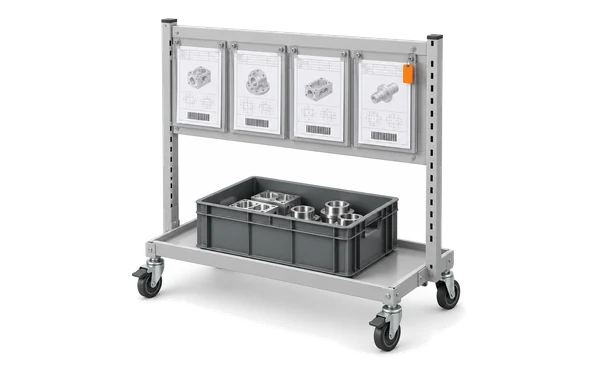
Load a job has a Scan control, and a handheld scanner works in any scan field. The operator stages jobs up to the station’s capacity, ten by default, and loads them together.
Start, Pause, Resume and Stop on the Job Timer. Time is split across the jobs loaded together, equally, by weight or by hand, and an admin can allow backdating within a set window.
Good, bad and inspection counters per job, with production modes such as Standard and Rework. A correction posts an offsetting record, so the original stays on file.
Shop floor software, also called shop floor management or shop floor control software, and shop floor tracking software when it only records, captures and directs the work at each machine: who is on it, what is loaded, how long it runs, how many good parts come out and why it stopped. It is the part of an MES the operator touches, so it has to be quicker than the paper it replaces.
Each person signs in at the station; an assigned tile shows their name, initials and sign-in time. Inactivity logout is set per machine type.
Where you read itSelect Asset at the station
Running, paused, stopped or idle, with loaded jobs, a live timer and a 24-hour OEE sparkline.
Where you read itThe Asset Board, and any TV through Pulse
The station’s queue sorted by priority or due date, or the steps a planner placed on its timeline.
Where you read itLoad a job, and Scheduling

The pause reason, required when OEE downtime tracking is on, with its category and loss type.
Where you read itOEE Timeline and Downtime Pareto
Total produced, good units, scrap units and yield, and output by phase.
Where you read itThe job’s Output view

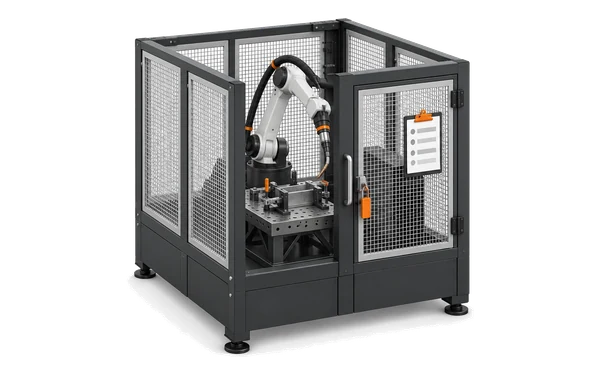
A compulsory pre-use check blocks the station until it passes or a supervisor overrides it.
Where you read itThe station, and Audits
Complete Stage checks required cycles and rework holds, and can ask for a barcode scan and a signature.
Where you read itComplete Stage at the station
Consumables logged against the loaded jobs, with stock drawn down for tracked items.
Where you read itInventory
Manufacturing shop floor tracking software and shop floor data collection software, question by question
Shop floor control software decides what may run and checks that it finished properly. Bulk does it with rules at the station instead of a supervisor with a clipboard: a job that is not ready says what has to happen first, a machine with an open compulsory pre-use check will not load work, and Complete Stage will not close a job with required cycles missing or a rework holding it.
Before work
Up to ten jobs staged per station by default, loaded together.
Before the machine
A supervisor with override permission lifts it for 1 to 24 hours, with a reason and a signature.
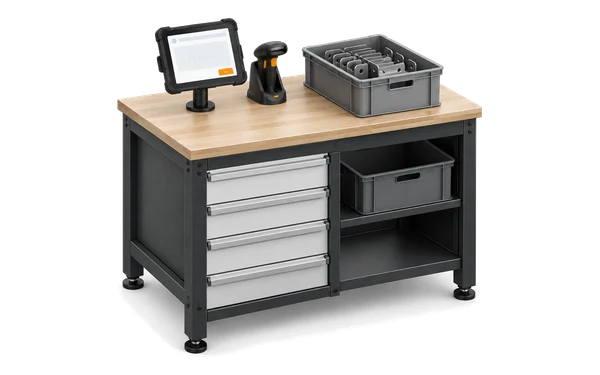
After the work
It can ask for a confirmation scan of the job barcode and a supervisor’s signature.
What the station records is what the office sees. The Asset Board shows each asset running, paused, stopped or idle, coloured by OEE category, with the last operator, the loaded jobs, a live timer and a 24-hour OEE sparkline. Pair a TV through Pulse and the board stays on the wall. Where a machine carries a sensor, its readings add a sensor lane to the OEE Timeline.
Open the pairing page on a TV, type its six-character code into Bulk, and the screen signs itself in as a read-only display on the board you chose. Displays is in beta.
Pause reasons carry a code and an availability, performance or quality category, with presets to import by industry. A reason can be corrected within 48 hours.
The Utilization Grid shows each asset hour by hour and the Downtime Pareto ranks the losses. OEE & Analytics covers the rest.
What an operator records at the machine is the same record planning, quality, stock and the boards read, so nobody retypes a tally sheet.
Shop floor software captures and directs work at each machine: which job is loaded, who is running it, how long it takes, how many good parts come out and why the machine stopped. In Bulk the operator does this at a station (a tablet or PC with a browser), and the same record feeds planning, quality, stock and invoicing.
Recording production data at the point of work: start and stop times, output, scrap, downtime reasons and material used, entered by the operator or read from machines. In Bulk operators record it with the Job Timer, the counters and Log Material, and sensors can post machine readings through a gateway.
Shop floor control in manufacturing means deciding what may run and checking that it finished correctly: job readiness, machine checks, required steps and sign-offs. A shop floor control system, or shop floor control software, enforces those rules where the work happens. Bulk enforces them at the station, with blocking pre-use checks, required cycles, rework holds and optional barcode and signature confirmation at Complete Stage. It is one part of an MES.
A tablet or PC with a web browser, at the machine or shared between a few, and optionally a handheld barcode scanner. It needs a network connection: Bulk has no offline mode, so plan for Wi-Fi coverage at every station.
Yes, each person signs in, so time and counts are theirs. A station can log a person out after 1 to 120 minutes of inactivity (30 by default) with a 60-second warning, and the Tablet user role gives operators the station and little else.
Machine readings, yes: a gateway you run posts sensor readings to Bulk over HTTPS, shown as a sensor lane and a paused state on the Asset Board. Downtime reasons and counts still come from the operator; Bulk does not connect to OPC UA, MTConnect or MQTT directly.
Start with one line or cell end to end. Print travellers from a PDF template with a barcode so operators load jobs by scanning, run the station alongside paper for a few weeks, then move the next line. Open jobs, parts and routings import from CSV or Excel.
Yes. A multi-station board starts, pauses and stops timers across up to 40 selected machines at once, and the same job step can run on several machines in parallel. Loading, counting and completing still happen at each machine’s own station.
Start a free trial, set up the station for one machine or cell, and let your operators run a real shift on it. No card needed.