

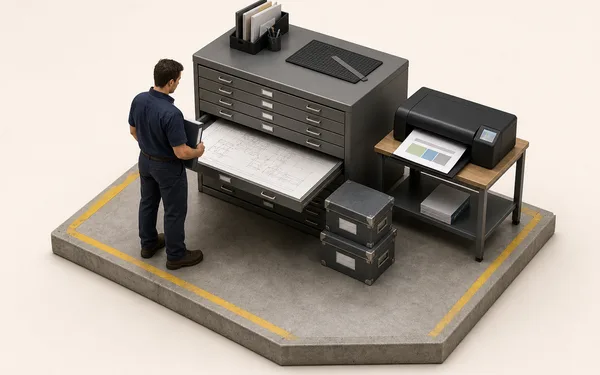

Which instruction is current?
The approved revision of the job’s process, numbered R1, R2 and on.
Where you read itSettings, Master Data, Processes
Write the instruction once, send each revision for approval, and operators open it from the job they have loaded, at the machine. No binder on the bench and no guessing which copy is current.

Digital work instructions for manufacturing only help if the operator finds the right one without hunting. At a Bulk station the operator loads a job, opens Operator Tools and Instructions, and sees the PDFs attached to that job’s process revision. The Attachments panel adds the files from the job, the order and the customer’s own document, so the drawing is one tap away too.
Instructions lists the PDFs of each loaded job’s process revision, and says so plainly when a job has none. Nothing to search, nothing to print.
Attachments gathers files from the job, the order and the inbound document. PDFs and images open in Bulk; other file types download. Operators cannot change them.
PDF, Word, Excel, PowerPoint and images up to 25 MB each. Existing instructions move over as they are, and can be tidied later with a free SOP template.
Work instruction software, or manufacturing work instruction software, replaces the binder by the machine: it stores the work instructions for how each job is done, controls which revision is current and puts the right one in front of the operator at the moment of work. Bulk does the control through approved process revisions and the delivery through the station.
The approved revision of the job’s process, numbered R1, R2 and on.
Where you read itSettings, Master Data, Processes

Someone holding the approve permission, recorded against the revision.
Where you read itThe process’s revisions

Operator Tools, Instructions, for each loaded job; drawings and job files under Attachments.
Where you read itThe station in Production

The job’s routing, versioned, with one live version at a time.
Where you read itRouting

A compulsory pre-use check on the machine type, which can block loading until it passes.
Where you read itThe station, and Audits

Require Signature on the routing step adds a supervisor’s drawn signature to Complete Stage.
Where you read itComplete Stage

Training records and the versatility matrix, from not trained to trainer, with expiry dates. A record, not a gate.
Where you read itTraining

Datasheets (in beta): spreadsheet templates with input cells, formulas and validation, attached to production orders.
Where you read itThe production order
Digital work instructions software, question by question: how Bulk answers each and where you read it
A work instruction is only as good as its revision. In Bulk each process has a code and numbered revisions, R1, R2 and on; each revision goes from Draft to Pending Approval to Approved, and only people with the approve permission can approve or reject it. Processes sit in catalogues, and the routing that orders the steps has its own versions: draft, compiled, live, one live at a time.
Every change is a new revision with its own number and state, so the approved one is never confused with a draft someone is still editing.
Approve and reject sit behind their own permission, given to the people who own the process, and the decision is recorded against the revision.
Jobs already running keep the routing version they started with. Unstarted jobs can be moved onto the new live version in one action.
Some steps need a second pair of eyes. Turn on Require Signature for a routing step and Complete Stage asks for a supervisor’s signature before the step closes; one drawn signature covers every item in the batch. A compulsory pre-use check can stop a machine until it passes, and a quality check step makes the operator pick a quality category before the count is recorded.
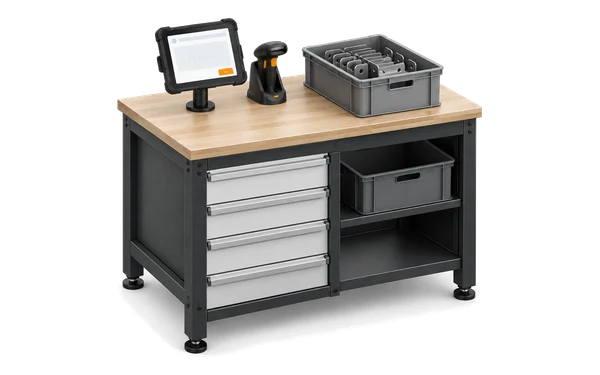
At the step
Complete Stage asks for it before the step closes, and saves it with the completion.

Before the machine
A supervisor can override it for a set time, with a reason and a signature.
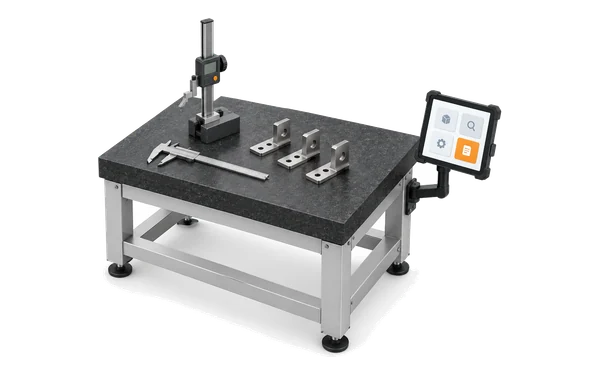
At the count
Datasheets (in beta) hold the measurements on the production order.
The instruction lives on the process, the process on the job, and the job at the station, so the right revision follows the work instead of sitting in a binder.
Work instruction software stores how each task is done, controls which revision is current and shows the right one to the operator at the point of work. In Bulk, instructions are attached to approved process revisions and open at the station from the job the operator has loaded.
Work instructions kept and delivered in software instead of on paper (electronic work instruction software does the same job), so the operator always reads the current, approved version at the machine. In Bulk they open on the station’s tablet or PC under Operator Tools, Instructions, for each loaded job.
Not today. Instructions are PDFs attached to the job’s process revision and opened from the job, so photos and drawings go inside the PDF or in the job’s attachments. Video is not an accepted file type yet.
Each process has numbered revisions that move from Draft to Pending Approval to Approved, and only people with the approve permission can approve or reject one. The routing that orders the steps is versioned separately, and jobs already running keep the routing version they started with.
Yes. Turn on Require Signature for the routing step and Complete Stage asks for a supervisor’s drawn signature before the step closes, one signature for every item in the batch. Bulk makes no 21 CFR Part 11 claim for these signatures.
No. Training records and the versatility matrix show who is trained, supervised or competent on what, and when it expires, but they do not block anyone. What can block a machine is a compulsory pre-use check.
SOP vs work instructions comes down to level. A standard operating procedure (SOP) describes a process at a higher level: what is done, by whom and why. A work instruction describes how to do one task, step by step, at one workstation. Start from the free SOP template and standard work template.
Standard work instructions describe the one agreed way to do a task at a station, so every shift does it the same way and any change goes through approval first. In Bulk the approved process revision is that standard: operators only ever open the approved one. The free standard work template is a place to start.
One task per instruction, one action per step, written in the operator’s words, with a photo or drawing wherever words are ambiguous and the critical checks called out. Have an operator test it before approval. The one point lesson template suits single-step instructions.
Start a free trial, attach the instructions for one process to an approved revision and open them from a real job at the station. No card needed.