





What is late?
Jobs and orders filtered by overdue and due today, and value overdue across the plant.
Where you read itLoad a job, and the Value Flow dashboard
One system for the loop a small plant runs every day: the customer’s order, the jobs, the machines, the stock and the invoice. Start with the app that fixes your biggest headache and add the rest when you need them.

Most small manufacturers run on a patchwork: the order in an email, the schedule on a whiteboard, job status in someone’s head and the invoice typed into the accounts package. Bulk puts the loop on one record: the customer’s document, the production order and its jobs, the work at each machine, quality, consumable stock, invoices and credit notes.
Inbound OCR reads the customer’s PDF, spreadsheet or photo into lines, and approved lines become jobs. No retyping.
Operators run each job at a tablet or PC by the machine: timer, counts, rejects and material used. Stock comes down as they work.
Finished jobs build the invoice, with an approval step above a value you set, and credit notes against it when needed.
Manufacturing software for a small business has to answer the questions the owner asks every morning, without a dedicated administrator and without a year-long project. Manufacturing management software that needs a consultant to change a field is the wrong size for a small manufacturing business.
Jobs and orders filtered by overdue and due today, and value overdue across the plant.
Where you read itLoad a job, and the Value Flow dashboard
Every machine running, paused, stopped or idle, with its job and a live timer.
Where you read itThe Asset Board, on any TV through Pulse
On-time delivery over the last 30 days.
Where you read itThe Scheduling tile on Home in the HUB
Min and max thresholds per plant, flagging low, critical and over-stocked variants, with alerts.
Where you read itInventory
Quality issues by category and downtime ranked by lost time.
Where you read itQuality and the Downtime Pareto
Invoiceable jobs per order, built into draft invoices.
Where you read itInvoicing
Clock-ins on a shared tablet by PIN, with rules per site.
Where you read itPeople & Working Hours
The versatility matrix, from not trained to trainer, with expiry dates.
Where you read itTraining
Software for a small manufacturing business, question by question: how Bulk answers each and where you read it
Apps switch on parts of Bulk that already ship. The HUB and Files come with every workspace; Production, Scheduling, Quality, Inventory, Audits, Training, People and the rest install when you need them, bringing any app they depend on. There is nothing to download and no server to run, and a new release reaches your screens on its own.
Bulk runs in the browser on the tablets, PCs and TVs you already have. Updates arrive on their own, with a two-minute warning to save work.
Up to 20 custom fields per table on parts, processes and customers, your own number formats and your own PDF layouts. See what you can change.
Import customers, parts, routings, processes and open jobs from CSV or Excel instead of typing them in.
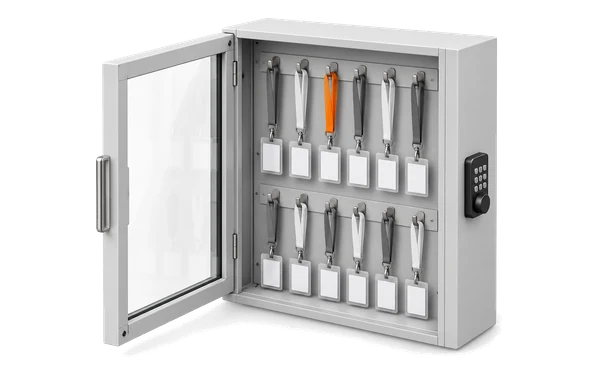
A small plant cannot staff a system administrator. Bulk ships twelve preset roles, from Super user to Tablet user, and site access is a simple yes or no per person. Two-factor sign-in is there for anyone who wants it, and Hugo, the built-in assistant, drafts changes to tasks, KPIs and teamboards that nothing applies until you press Apply.
Access
Build your own role when a preset does not fit. See access and roles.
Assistant
AI in Bulk covers the rest.
Help
Read the Bulk documentation.
In a small plant the same three people touch the order, the floor and the invoice. In Bulk they touch the same record.
Software that runs a small plant’s daily loop in one place: taking in customer orders, turning them into jobs, running and recording the work on the floor, tracking stock and quality, and invoicing the finished work. Bulk does that on one record, installed one app at a time.
Usually an accounting package plus spreadsheets, and sometimes an MRP or ERP. The gap is almost always the floor: what is running, what came out good and what is late. Bulk covers the floor and the order-to-invoice loop around it; MES vs ERP vs MRP explains the categories.
Many start by looking for an ERP for small business manufacturing when what hurts is the order-to-invoice loop and the floor. Bulk holds the commercial loop an ERP usually owns for a small manufacturer: customer orders, jobs, consumable stock, invoices and credit notes on one record. It does not do general ledger, payroll or purchasing, so it runs alongside an accounts package for the books, and syncs both ways where an integration exists. MES vs ERP vs MRP explains the difference.
Dynamics 365 Finance & Operations syncs both ways today, SAP S/4HANA is in private beta by invitation and Oracle NetSuite is planned. For other packages, scheduled exports send CSV, Excel or JSON files daily, weekly or monthly.
It depends on how much you start with. The advice is the same for every plant: one workflow end to end first, with your customers, parts and routings imported from the spreadsheets you keep today, running alongside your current way of working until you trust it.
A browser. Stations are tablets or PCs at the machines, boards are TVs paired through Pulse, and a shared tablet can be the time clock. A network connection is needed everywhere; there is no offline mode.
Where you agree in writing when you order. Data residency lists the regions to discuss and what is recorded for each deployment, and the subprocessor list names every provider.
Yes, that is the point of apps. Install Production to get the floor on record, or Audits to replace the checklists, and add the rest later. Choose in order: an app cannot be uninstalled once it is installed.
Start a free trial, set up the one problem you would fix first on your own orders and jobs, then install more apps as you need them. No card needed.