
What is running right now?
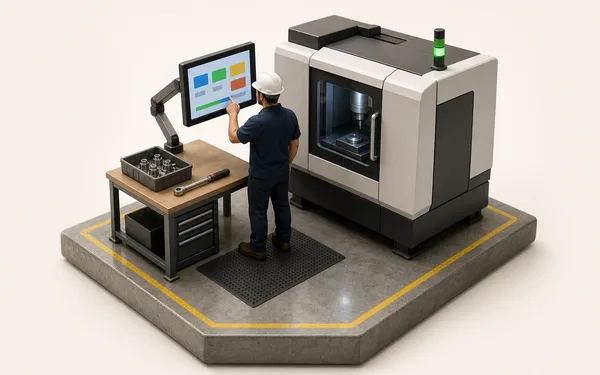
Every asset as Running, Paused, Stopped or Idle, with the loaded jobs, the last operator and a live timer.
Where you read itThe Asset Board, and any TV through Pulse
Bulk is a cloud manufacturing execution system you install one app at a time. Operators run jobs at the station, planners place them on machines, and quality, stock and invoices work from the same record.

A customer’s purchase order arrives and Inbound & OCR reads it into lines. Once approved, each ready line becomes a job under a production order. At the machine the operator loads the job, runs its timer and taps the counter; a reject on a quality check asks for the defect category and opens a quality issue on the spot. When the last step closes, the job is ready to invoice.
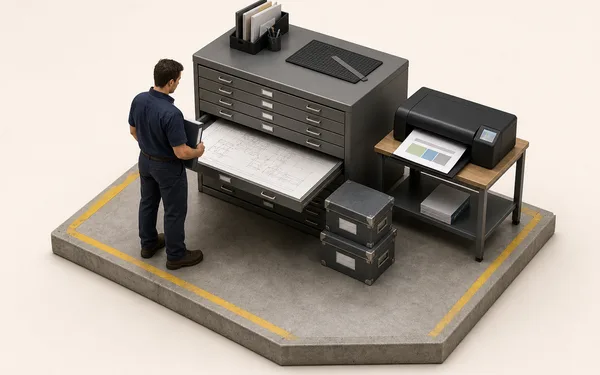
Customer documents arrive as PDFs, spreadsheets or photos. Extraction is set up per customer, and after approval Bulk creates one job per ready line under a production order.
Start, pause and stop on the Job Timer, one tap per good part, and a reason on every pause when OEE downtime tracking is on. Corrections post offsetting records rather than erasing.
Defects become quality issues tied to the job, step and machine, consumables draw down stock, and completed jobs go onto the invoice.
MES software (manufacturing execution system software, often just called an MES system) is the system of record for work on the floor: which job ran on which machine, who ran it, how long it took, what came out good and why the machine stopped. It sits between the order and the shipment, and it only works if the people on the floor actually use it.
Every asset as Running, Paused, Stopped or Idle, with the loaded jobs, the last operator and a live timer.
Where you read itThe Asset Board, and any TV through Pulse
Steps placed on machine timelines by a planner, or ranked in a machine’s queue.
Where you read itScheduling and Prioritisation

Timer sessions per job step and operator, split across the jobs loaded together.
Where you read itThe job’s time entries in Production

Good, bad and inspection counts per phase, with total produced, scrap and yield.
Where you read itThe job’s Output view

The pause reason, categorised as an availability, performance or quality loss.
Where you read itOEE Timeline and Downtime Pareto in OEE & Analytics
A quality issue opened from the station, carrying the job, step, machine and defect category.
Where you read itThe job’s Quality tab, and Quality
Consumables logged at the station, split across loaded jobs, with the unit cost snapshotted and stock drawn down.
Where you read itInventory, per variant
Corrections, stock adjustments and hold releases ask why, and changes are written with the person and time.
Where you read itActivity Logs and the audit trail
What MES solutions answer, question by question, and where you read it in Bulk
Bulk is a cloud-based MES: it runs in the browser on the tablets, PCs and TVs you already have, with nothing to install on the floor. Apps switch on areas that already ship with Bulk. The HUB and Files come with every workspace; Production, Scheduling, Quality, Inventory, Audits and the rest install when you need them, with any app they depend on.
Any tablet or PC with a browser can be a station, and any TV can be a board through Pulse. A new release reaches open screens within minutes, after a two-minute warning to save work.
Where your workspace runs is agreed in writing with your order, with dedicated hosting where agreed. Data residency lists the regions to discuss.
Custom fields on parts, processes, customers, orders and jobs, your own number formats and per-site PDF templates. Configuration covers what can change.
Most MES software stops at the shop floor. Bulk carries the job on through the commercial loop an ERP usually owns: invoices built from an order’s finished jobs, an approval step above a value you set, and credit notes against them. Where you keep an ERP, Bulk syncs both ways with it.
A standard invoice is built from an order’s invoiceable jobs and moves from draft through approval to issued, sent and confirmed. Voiding keeps the record and frees the jobs.
Credit notes are raised from an invoice or on their own, with a reason such as return, discount or price correction, and allocated against open invoices.
Dynamics 365 Finance & Operations is live; SAP S/4HANA is in private beta by invitation. See integrations for what flows each way.
Each app reads and writes the same order, job and machine records, so nothing is typed twice between the office and the floor.
MES software, short for manufacturing execution system software and often called an MES system, controls and records work on the shop floor as it happens: which job runs on which machine, who runs it, how long it takes, how many good parts come out and why the machine stopped. Bulk is MES software that also carries the job from the customer’s order to the invoice on the same record.
MES stands for manufacturing execution system. In manufacturing it is the layer between the plan and the shipment: the system that tells each station what to run and records what actually happened there, job by job and machine by machine. Planning and finance systems work in days and weeks; an MES works in minutes.
A cloud MES, or cloud-based MES, runs on hosted servers and is used through a browser, so there is no server to buy or software to install at the plant. Bulk is a cloud MES: stations are tablets or PCs with a browser, boards are TVs paired through Pulse, and the hosting location is agreed in writing with your order. It needs a network connection; there is no offline mode.
An ERP records the business’s transactions (sales, purchasing, finance), while an MES runs and records the work on the floor minute by minute. Bulk is an MES that also holds the order-to-invoice loop, so the order, jobs, stock and invoices live on one record. The full comparison, with MRP, is in MES vs ERP vs MRP.
Yes. It is built for small and mid-size plants: install the app that fixes your biggest problem first, roll out one workflow end to end, and add apps as you grow. See manufacturing software for small business.
A tablet or PC with a web browser at each station, or one shared between machines. A handheld barcode scanner works in the scan fields, and any TV with a browser can show a live board. The native mobile app is iPhone-first and not meant for station tablets.
Yes, through sensors: a gateway you run posts readings and heartbeats to Bulk over HTTPS with a site-scoped API key, and they show as a sensor lane on the OEE Timeline and a paused state on the Asset Board. Bulk does not speak OPC UA, MTConnect or MQTT directly, and downtime reasons still come from the operator.
From recorded time: running time divided by running time plus downtime, with inactive time left out. Downtime comes from pauses with a reason, each categorised as an availability, performance or quality loss, so the number explains itself in the Downtime Pareto.
No. Planners place work on the planning board by hand, and Bulk supplies the checks: which machines can run the step, how long it should take from past runs, how loaded each machine is and where runs overlap.
One workflow end to end, never a big-bang cutover. Pick one line or cell, import your customers, parts, routings and open jobs from CSV or Excel, run it alongside paper until the team trusts it, then widen it.
Start a free trial and run a customer order through Bulk, from the customer’s document through the station to the invoice, so you can judge it on your own work. No card needed.