The Operating System for Manufacturing
Everything flows into one central source of truth.
Like a planetary core, Bulk attracts Safety, Quality, Delivery, Cost, and People data from across your factory floor. Siloed applications and static boards orbit around a unified intelligence, seamlessly pulling all signals into a single, gravitational center.
Get startedDesigned for touch screen & large visual displays
Purpose-built for how manufacturing teams actually work: 4K touch screens mounted at production cells for stand-ups, tablets for Gemba walks and floor rounds, phones for real-time alerts and quick checks on the move, and laptops for management review and cross-plant consolidation.
Adopted instantly by frontline teams
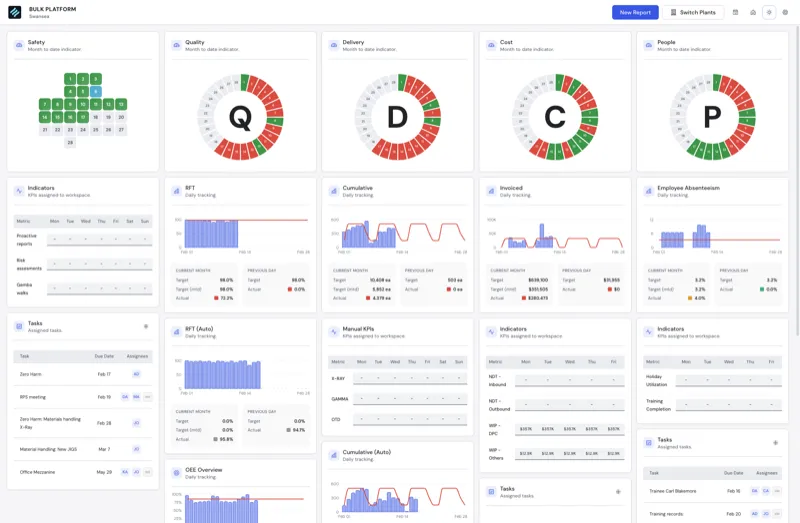
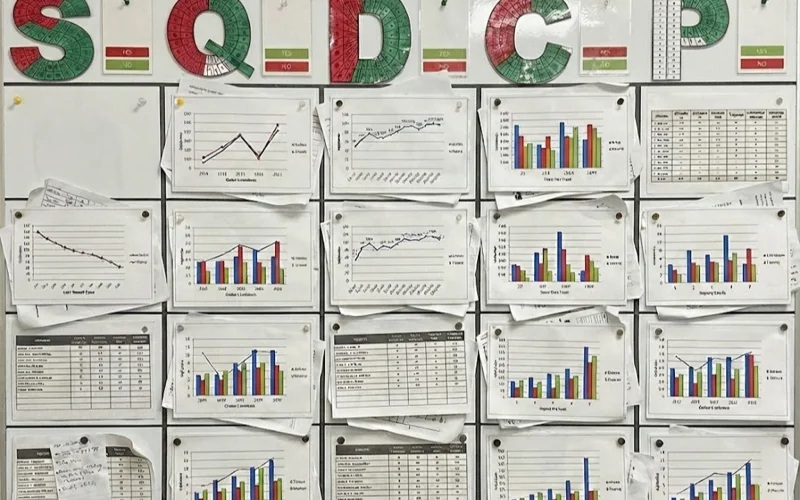
Operators pick up digital Obeya boards as naturally as marking a whiteboard: color-coded stickies map to SQDCP categories, one-tap owner assignment replaces handwritten initials, and the familiar column layout means zero learning curve. Teams consistently reach 95% weekly active usage within 30 days of go-live.
All the flexibility of a whiteboard, plus live data
Keep the rituals, SQDCP structure, and daily management routines your teams already trust — while gaining persistent records, real-time KPIs, and issue-to-action traceability. Bulk Teamboards adapts to the way you work, not the other way around.
Teamboards Capability Stack
Bulk Teamboards is built as a digital SQDCP system, not just a display board. It combines configurable categories, widget-based layout control, indicator rule logic, day-level status data, and task handoff workflows so every stand-up produces clear operational decisions.
Configurable SQDCP Architecture
Configure teamboards by plant with flexible categories, ordering, and indicator modes.
- Category setup with unique IDs, names, letters, and ordering for each board.
- Per-category indicator modes: safety cross or circular gauge.
- KPI table toggles and chart key mapping per category.
- Plant-level board definitions with active state and location context.
Widgetized Visual Management
Build each board column using reusable widgets and drag-and-drop control.
- Widget instances include KPI charts, KPI tables, task tables, document display, and OEE overview.
- Add, move, reorder, and remove widgets within or between categories.
- Persist edit state for widgets and indicator settings with race-condition-safe saves.
- Attach widgets to indicator behavior where category movement affects context.
Rule-Driven Indicator Intelligence
Set color logic by KPI or task data so indicator status reflects real performance.
- Indicator rules support KPI and task sources with explicit priority ordering.
- Rules support threshold-based logic and color labeling for stand-up clarity.
- Direct KPI assignment to widget instances for simpler mapping.
- Date-scoped indicator color queries feed month and day-level board views.
Daily Data and KPI Reporting
Capture day-by-day status data and connect stand-up reporting with KPI submissions.
- Daily status, timestamp, and details are captured per category and date.
- Bulk day-data upsert supports fast monthly board updates.
- Date-driven reporting flow launches KPI report submissions from teamboards.
- Aggregated stats and matrix views support weekly and monthly management review.
Ownership, Entities, and Governance
Control who owns indicators, which entities are covered, and who can edit each board.
- Assign and unassign indicator owners by category.
- Assign multiple entities to a board for multi-site governance.
- Create teamboard tasks directly from stand-up findings for closure tracking.
- Permission-scoped queries and mutations enforce teamboard view/create/update/delete controls.
How Teamboards Supports Daily Management
Meeting quality drops when SQDCP routines rely on disconnected spreadsheets and unowned action logs. Teamboards keeps these workflows in one operating surface, using persistent boards and linked task execution to maintain a consistent cadence for tier meetings and escalation follow-up.
Shift Handover
Incoming teams can immediately review previous day category status, unresolved tasks, and current KPI context without searching multiple tools.
Daily Tier Meetings
Supervisors can run SQDCP stand-ups using one board surface with indicators, KPI widgets, and task widgets in the same column layout.
Problem Escalation
When a metric or day status is off target, teams can create an owned task from the board to preserve accountability through completion.
Weekly Performance Reviews
Leaders can inspect matrix views, indicator color histories, and aggregated stats to prioritize recurring issues and coaching opportunities.
Cross-Plant Standardization
Shared category structures and rule logic make it possible to align meeting cadence across entities while preserving plant-level configuration.
Audit and Compliance Readiness
Persistent category data, indicator rules, ownership assignments, and task trails provide a traceable record for internal and external reviews.
Digital SQDCP Teamboard Demo
See a daily management board with indicator status, KPI widgets, task escalation, and cross-shift execution continuity.
Built for real operations

True SQDCP Operating Rhythm
Run consistent daily management meetings with a board designed for factory cadence.

Configurable by Plant and Team
Set categories, indicator modes, and widget layout to match how each operation runs.

Issue-to-Action Closure
Convert off-target signals into owned tasks without leaving the stand-up workflow.
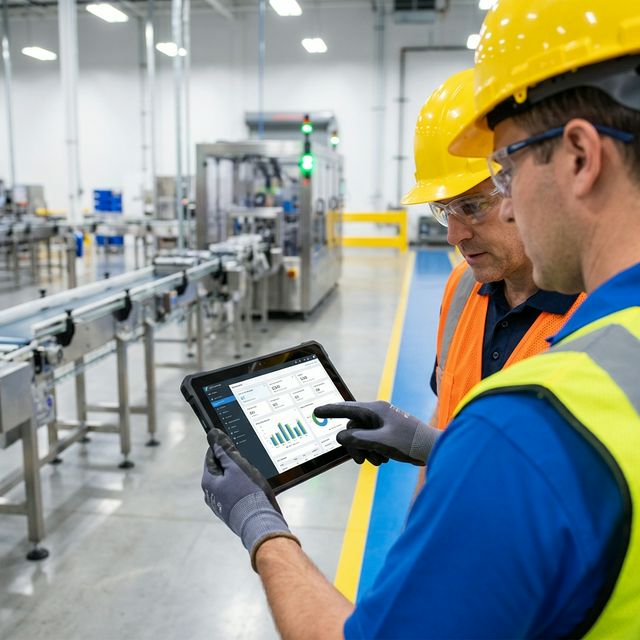
Cross-Shift Continuity
Preserve board context day to day so incoming teams can execute with fewer blind spots.
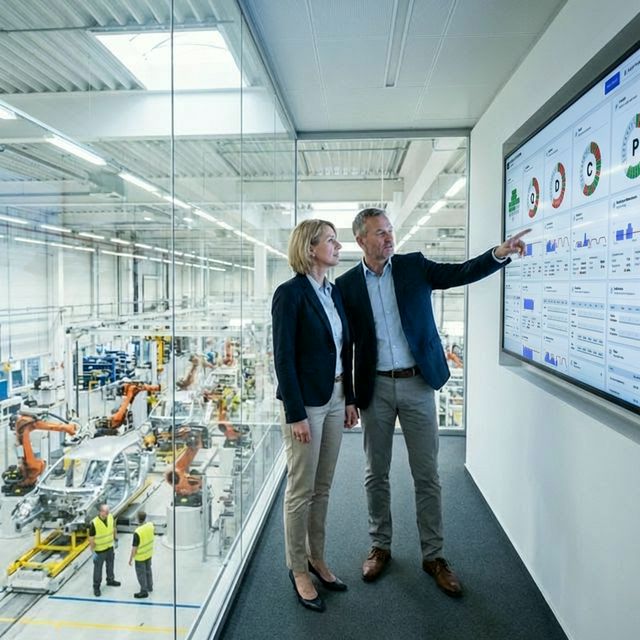
Leadership Review Readiness
Support tiered review with day history, matrix views, and aggregated operational stats.

Governed Multi-Site Rollout
Use permissions, entity assignment, and indicator ownership to scale safely across plants.
Keep exploring
Audits & Inspections (Digital Audit Management)
Continue with audits & inspections (digital audit management) to deepen your rollout plan.
Learn more →Frequently asked questions
What is SQDCP teamboard software in manufacturing? +
SQDCP teamboard software is a digital daily management system that helps teams review Safety, Quality, Delivery, Cost, and People performance in one structured stand-up workflow.
How does Bulk Teamboards improve daily management meetings? +
Bulk Teamboards combines indicator logic, KPI widgets, and task follow-up in one board, so meetings focus on current facts and finish with clear ownership instead of separate action tracking.
Can Teamboards support tier meetings across multiple plants? +
Yes. Teamboards includes entity assignment, indicator ownership, and configurable categories so teams can standardize daily management while keeping site-specific configuration where needed.
Can we connect Teamboards to production and OEE workflows? +
Yes. Teamboards is designed to work with production execution, OEE analytics, and task management so stand-up decisions are connected to live operations data and follow-through.
Does Teamboards support visual management styles like safety cross and gauges? +
Yes. Categories can use safety cross or circular gauge indicator views, with configurable rules to color status based on KPI or task conditions.
Is Teamboards useful for lean manufacturing stand-up routines? +
Yes. Teamboards supports lean daily management by making performance signals visible, improving handover discipline, and closing actions faster through accountable workflows.
See how this works in your operation
Book a product walkthrough or estimate your impact in minutes.