Manufacturing Production Software: How to Choose What Fits
Compare manufacturing production software by the work it handles, then test scheduling, quality, job tracking, and handoffs with one realistic order.
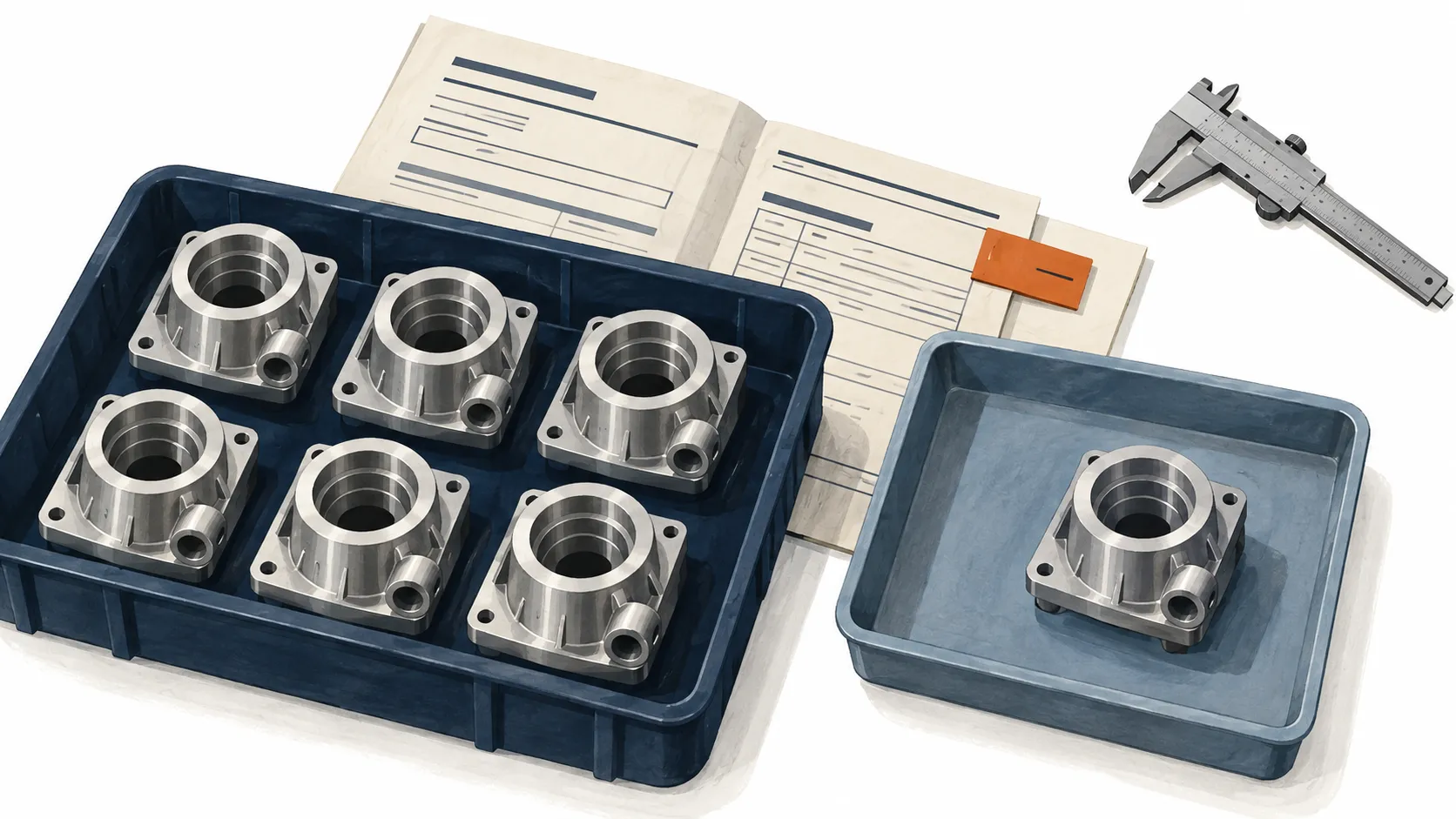
Illustration: the parts can leave the same machine and still need different next steps.
Manufacturing production software helps a plant plan, carry out, and track the work of making products. Depending on the system, it can connect production orders, materials, machine schedules, operator entries, inspection results, and invoicing. The useful distinction is which of those jobs it handles well enough for your team to rely on it.
A machine-monitoring tool might tell you a lathe has stopped. A planning system might tell you when an order should finish. Your production team may need to know which units are waiting for inspection, who can release them, and whether the rest can ship. Those are different requirements, even when vendors use the same label.
Start by writing down the decision your team struggles to make today. Then ask each shortlisted vendor to demonstrate it using the same sample order, including a change or failure. That gives you something concrete to compare beyond a feature checklist.
What does manufacturing production software cover?
The category spans several kinds of software. Their boundaries overlap, and a single product can cover more than one. Use the names to organize your requirements, then check the actual workflow.
| Type | Main job | What to test |
|---|---|---|
| Material requirements planning (MRP) | Work out which materials and components are needed, how many, and when | Change an order quantity and inspect the revised material requirement |
| Production scheduling | Place work against available time and resources | Remove a machine from the plan and check what happens to affected jobs |
| Manufacturing execution system (MES) | Direct and record work as it happens on the floor | Record output and a failed check against a job, then find both from the next station |
| Manufacturing ERP | Connect manufacturing with wider business work, such as orders, inventory, purchasing, and finance | Follow a production order into the commercial records your business needs |
| Quality management and inspection software | Capture checks and manage quality problems and their resolution | Follow a failed inspection through containment, a decision, and release |
| Production monitoring | Collect and display equipment or process activity | Trace a stopped-machine signal back to its source and establish what explains the stop |
SAP’s MRP explanation describes how demand, inventory, and the bill of materials drive material planning. Its MES overview focuses on tracking and controlling production from raw materials to finished goods. These are different responsibilities, even when one system performs both.
Product ranges cross those boundaries. MRPeasy describes planning, inventory, shop-floor reporting, and sales management in one product. Acumatica’s manufacturing offering combines production management with wider ERP applications. Ask what is included in the proposed setup, what needs another module, and what depends on a separate connection.
Choose around the way you make things
Give vendors a short description of your production before asking for a demo. Include what you make, how orders arrive, the units you track, and the point at which work becomes ready to ship.
For a machine shop, that might mean individual jobs, drawing revisions, several operations, and short runs. For an assembly plant, it might mean component availability, build sequences, and serial numbers. For batch production, it might mean recipes, lots, yield, and the rules for splitting or combining material. Ask to see your type of work represented directly.
Then name the constraint that most often changes the plan. It could be one machine, a shared fixture, a qualified operator, an outside process, or an inspection queue. A scheduling demo should show how that constraint affects the promised date. Moving a colored bar on a calendar is only part of the answer.
Also decide how far the first rollout must reach. If your problem is losing track of work between machining and inspection, start there. If you need one system from customer order to invoice, include those commercial steps in the evaluation from the beginning.
Test one order when it stops going to plan
Use the following as a demo script. It is a hypothetical example, not a customer result or a description of a particular product.
A customer orders 120 pump housings. They pass through machining, inspection, and packing. All 120 have been machined. Of those, 80 have passed final inspection, 25 await inspection, and 15 are on hold because of a suspect bore measurement. Nothing has shipped.
Assume the 80 accepted housings meet every other release requirement. The customer now asks for those 80 first. Your team needs to distinguish the completed machining operation from the quantity available for packing.

Run the same five checks with each vendor:
- Find the work. Open the order and locate its jobs, required revision, quantities, and remaining operations. Note anything the presenter has to look up elsewhere.
- Record the exception. Enter the failed check and identify the 15 affected units. Show the result, unit of measurement, reason for the hold, and person responsible for the next decision.
- Test the restriction. Try to move the held work forward. Establish whether the system blocks the action, warns the operator, or only displays a note. Check who can override it and what is recorded.
- Handle the partial shipment. Prepare the 80 accepted units for packing. Check that the remaining 40 stay visible and that shipment documents reflect the selected quantity. If invoicing is in scope, demonstrate the billing rule separately. Accepted, shipped, and invoiced are different states.
- Correct and recover. Correct an entry, then interrupt and retry a save in the test environment. Check that the record shows the correction and that the retry does not count the same work twice.
Ask an operator and a planner to perform their parts themselves. Record the extra typing, workarounds, and unanswered questions. Keep physical containment in the test too: a digital hold needs a reliable way to identify and separate the affected parts on the floor.
For each required step, record whether it was demonstrated, needs configuration, needs development, or is unavailable. Do not let a high overall score hide a missing control your plant must have.
Check the detail behind the feature labels
Inspection results need a next action
Manufacturing inspection software may give you a place to capture measurements and pass-or-fail results. Your wider quality process also needs a way to decide what happens after a failure. For example, ComplianceQuest’s manufacturing QMS description includes investigation, disposition of nonconforming material, and corrective action.
When evaluating manufacturing quality control software, follow the failed result beyond the form. Find the affected job or lot, the containment decision, the owner, and the release record. For a wider quality-management rollout, include the investigation and follow-up work as well. A completed checklist alone does not demonstrate that whole process.
Return to the original, unshipped snapshot of the sample order. Ask how the record changes if five held housings are accepted after review. The accepted quantity should become 85, the hold quantity 10, and the awaiting-inspection quantity stay 25. The total remains 120. The original failed result and subsequent decision should remain understandable.
Monitoring needs a defined source and delay
Ask what supplies each production figure: an operator entry, barcode scan, machine connection, or imported file. Then ask how long it takes to appear and what the screen shows when that source stops updating.
Automatic equipment data and human context serve different purposes. FourJaw describes collecting machine activity through sensors while operators supply downtime reasons. That is a useful distinction to test: evidence that a machine is idle does not necessarily explain why a job is waiting.
For manufacturing process monitoring software, check the signal your process actually needs. A machine running signal does not prove that a required temperature was reached or that the output passed inspection. Request the relevant measurement, its timestamp, and its link to the work being made.
Cloud access needs a recovery test
For cloud-based manufacturing software, test the devices and connection conditions people will use. Open the workflow on a station terminal, use the scanner, switch users, and check what remains visible if the connection drops. A browser interface alone does not demonstrate offline recording.
Ask the supplier to show what happens to an unsaved entry, a submitted entry with no confirmation, and an update waiting to synchronize. Get a clear procedure for each. Your operator should not have to guess whether pressing the button again will lose work or duplicate it.
Confirm who maintains the service, restores data, manages access, and exports your records. Check the export itself, including attachments and history you expect to retain. These are acceptance checks for your proposed setup, not assumptions to make from the word “cloud”.
Where Bulk fits
Bulk is one operating system for the plant, installed one app at a time. Its scope includes the production floor and the order-to-invoice work around it.
In Production, operators record output against job steps at their stations. Quality provides issue and hold records, while invoicing starts from a production order and its selected eligible jobs. Those links give a buyer concrete handoffs to examine in a demonstration.
Use the same sample order to check the proposed Bulk setup, including your hold rules, partial quantities, and billing process. The broader data thread explains the model. You can start a free Bulk trial to confirm the scope on your own jobs before planning a rollout.
Make the pilot earn the wider rollout
Choose a product family or workflow small enough to inspect closely, with enough variation to exercise the important exceptions. Assign someone to prepare the part data, units, routings, users, and opening quantities. Agree who owns corrections during the pilot and which record the next shift should trust.
Use a short set of measures tied to the original problem:
| Problem | Evidence to collect during the pilot |
|---|---|
| Nobody trusts job status | Compare selected system records with the physical work and log each discrepancy |
| Inspection delays are hidden | Measure elapsed time from arrival at inspection to a recorded decision |
| People keep rebuilding records | Count repeated entries and time spent reconciling them |
| Holds are bypassed | Test restricted actions and inspect the release or override record |
| Operators struggle to keep up | Observe entries at the workstation and count abandoned or delayed updates |
Set the pass conditions before the pilot. Keep the order mix and measurement boundaries visible when comparing results. A change in the work being made can explain a change in performance.
Request a cost breakdown for the same scope: subscriptions, required modules, setup, data preparation, devices, connections, training, support, and your team’s time. Ask which charges change with users, stations, sites, or usage. Compare like for like, and ask who will maintain the configuration after the supplier leaves.
The next step is a one-page test brief: your production model, the decision you cannot make reliably, one sample order, and the evidence that would count as a pass. Bring that to every demonstration. It gives your team a shared basis for choosing software and a clear test of whether the pilot has worked.