Lab information management software: a practical buying guide
Learn what a LIMS does and how to assess sample tracking, test results, instrument connections and reporting for a manufacturing or materials lab.
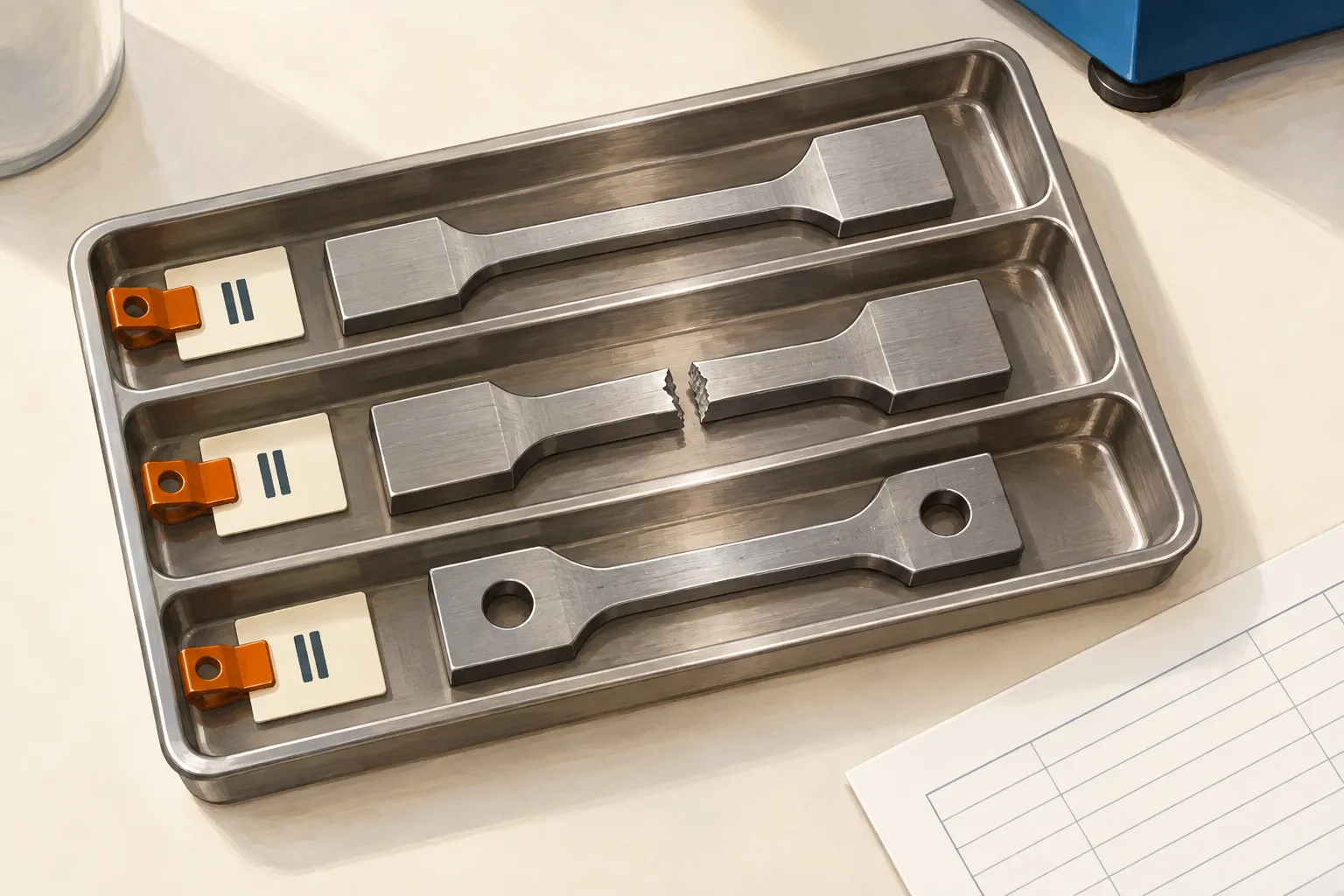
Illustration: a destructive test changes the specimen. Its identity still needs to connect the remaining material with the result.
Lab information management software connects samples with the tests, results and records that explain what happened to them. Usually called a laboratory information management system, or LIMS, it helps a lab follow work from receipt through testing and reporting. Sample tracking, workflow management and results reporting are core functions described in Autoscribe’s LIMS overview.
For a manufacturing or materials testing lab, the buying decision starts with a practical question: can you follow one specimen from the delivery box to the issued report, including anything that went wrong along the way?
A useful system should make that history easier to record and retrieve. To judge whether it will, test it with your own workflow, instruments and review rules.
What does lab information management software do?
A spreadsheet can hold a list of samples and their results. A LIMS adds relationships and workflow around those entries: which tests belong to each sample, what is waiting, who recorded a result and which report contains it. The exact functions vary by product and configuration.
For example, FreeLIMS describes sample tracking from receipt through testing, storage and disposal, alongside result management and reporting. That is a useful starting point for a requirements list, but each step needs to work for the samples your lab handles.
If a metal coupon is cut from a larger piece, you may need both identities. If the sample goes to an external lab, you may need to record the handoff and attach the returned report. If a customer changes the test request after work starts, you need to know which instruction applied to the work already done.
Write down these cases before comparing products. They turn a broad request for “better lab management” into something a supplier can demonstrate.
Choose the right kind of laboratory software
Searches for laboratory management system software bring together products with different jobs. Three common terms help narrow the field:
| System | Main focus | What to investigate |
|---|---|---|
| LIMS | Samples, tests, results and laboratory workflows | Can it preserve the relationships between your samples, methods and reports? |
| Laboratory information system, or LIS | Traditionally, clinical work centred on patients and their specimens | Can it support the clinical orders, patient records and reporting your service needs? |
| Electronic lab notebook, or ELN | Planning and documenting experiments | Can researchers record methods, observations and changes in sufficient detail? |
These categories overlap. Clinisys explains the traditional LIS and LIMS distinction, while Labguru combines an ELN, LIMS and inventory tools in one platform. Treat the names as a guide to what to examine, rather than a guarantee of what is included.
A production lab running repeat tests has different priorities from a research team developing a new method. For routine testing, start with sample identity, controlled methods, results review and report issue. For exploratory work, experiment documentation may deserve more attention. A clinical lab needs a separate assessment of its patient and healthcare workflows.
Follow one sample through the whole process
Consider a hypothetical materials lab receiving three steel specimens for tensile testing. The customer supplies a test request and a material batch reference. The lab must return a reviewed report that identifies the specimens and the work performed.
This example is a proposed evaluation workflow, not a description of a particular software product.
Receipt: establish what arrived
Give each specimen a unique identifier and link it to the customer request and material batch. Record the receipt date, condition and location. Keep the customer’s reference as well as the lab’s own identifier so either can be used to find the work.
Try a damaged label during the demonstration. Ask the technician to resolve the uncertainty before proceeding. A barcode is useful only when the physical item and the record have been matched correctly.
Testing: keep the result with its context
For the evaluation, require each result to retain the specimen identifier, method revision, units, operator, instrument and test time. Where you need raw instrument files, make them part of the demonstration too.
Now enter a result in the wrong unit. Check whether the system rejects it, warns the operator or accepts it silently. Then correct the entry and inspect what remains of the original value and the reason for the change.
Review: handle the exception
Suppose one result falls outside the agreed acceptance limit. The lab’s approved procedure should determine the next action. Ask the supplier to show how the system records that decision and any authorised repeat test while retaining the earlier result.
A second passing result should not silently replace the first. Your reviewer needs to see the sequence and understand why more testing happened.
Reporting: preserve what was issued
Create the report from the reviewed records, then introduce a correction after issue. Check whether the system can distinguish the original report from its replacement, record the reason and show which version was sent to the customer.
Also ask the reviewer to retrieve that history from the customer reference alone. This is the point where a connected workflow should save someone a search through folders and emails.

Turn features into a demo checklist
Laboratory sample management software needs to fit the awkward cases as well as the ordinary ones. Give each shortlisted supplier the same small set of synthetic records and ask your own staff to perform these tasks.
| Area | Ask the supplier to show | Evidence to keep |
|---|---|---|
| Sample tracking | Split a sample, move it and find both the parent and derived specimens | Linked identifiers and location history |
| Methods and specifications | Change a method or limit after a test has started | Which version applies to existing work and future work |
| Results and calculations | Enter a wrong unit, correct a value and repeat a test | Original entries, reasons, units and calculation rules |
| Instruments | Import a file from one of your actual instrument models, then import it again | Field mapping, error handling and duplicate detection |
| Review and reports | Reject a result, approve the correction and reissue a report | Reviewer identity, decision history and separate report versions |
| Access and export | Try an action without permission, then export a completed sample’s history | The access boundary and a usable record outside the system |
Instrument connectivity deserves particular attention. “Supports integrations” leaves several questions unanswered: which model, which software version, which file format and who maintains the connection? A CSV upload may be enough for one bench. Another may need an automated transfer that detects incomplete files and reports failures.
Have a technician use the software at the bench, with the scanner, label printer and screen size they will actually use. Ask them to pause halfway through a record and resume it. Watch for places where they reach for paper because entering the information is too slow or confusing.
Check compliance against your actual obligations
If your lab works to ISO/IEC 17025, assess the software within that quality system. The standard addresses laboratory competence, impartiality and consistent operation. It is not a software feature checklist, and a product purchase does not establish those things for the lab. See ISO’s explanation of ISO/IEC 17025.
Ask your quality lead which records and controls the configured system must support. Depending on your work, the evaluation may need to cover method control, equipment records, staff authorisation, review, corrections and retention. Turn each applicable requirement into a test with an expected result and someone responsible for reviewing it.
For US labs handling FDA-regulated records, determine whether 21 CFR Part 11 applies to the records and their use. The FDA’s scope and application guidance ties its scope to applicable record requirements and electronic records or submissions. It does not apply to every lab merely because the lab uses software.
Ask what validation evidence the supplier provides and what your lab must establish for its intended use. A claim of “compliance support” needs to become a clear division of work between the supplier and your team.
Plan the pilot and the full cost
Choose one representative test family for the pilot. Include an ordinary sample, a correction, an exception and a report reissue. Agree who owns each stage before configuring the software, including who can approve a result and who can authorise a repeat test.
Review existing data before migration. Decide which identifiers, active methods, customer records and open jobs must move, and how staff will retrieve older records. Check that an export preserves relationships and attachments as well as rows of values.
Ask for a proposal that separates licensing from configuration, migration, instrument connections, report templates, training, validation support and ongoing maintenance. For hosted software, establish backup and recovery responsibilities. For software you host, include the infrastructure and staff needed to operate it. In either case, agree how you can retrieve your records if you leave.
Measure the pilot against a baseline from the same type of work. Useful measures include time spent entering a sample, time waiting for review, corrections per report and time needed to retrieve a completed record. Use what your lab observes to judge the benefit.
Where Bulk fits in the evaluation
Bulk is an operating system for the plant, installed one app at a time. For a lab assessing the connection between testing and production, its Quality app is a relevant place to start: quality issues can link to production jobs and escalate into non-conformance reports. Quality holds also have a release process that records a reason, the person and the time.
Those controls are useful when a lab finding needs a recorded response from production. They should sit alongside a demonstration of your specific lab requirements: sample relationships, instrument data, method control and report approval. Ask Bulk to walk through the same specimen and exception cases you use with any other supplier.
Before your first conversation, gather a blank test request, an anonymised report layout and a list of the instruments you need to connect. Add one difficult case from your current process. That small pack will tell you more about the fit than a long list of feature names.